Lead capture with your digital business card
With MyTaag, people leave their contact details right on your digital business card – in a lead form, with consent and without typos. You embed the same form on your website as a widget, and every lead lands in one place, ready for your CRM.
- Made in Germany
- Servers in Germany
- Compliant with EU regulations
- As seen on the German version of Shark Tank
Why contacts get lost after the conversation
A good conversation, a handshake, business cards swapped – and then? The paper card ends up in a jacket pocket, gets typed in days later with typos, or never at all. If the other person has no card with them, all you have is a name you might remember. Even when you share your digital business card, you often don't know who saved it.
For sales, that's expensive: every contact that isn't captured is a missed opportunity. And every contact sitting in a personal address book or a spreadsheet on someone's desktop is invisible to the company.
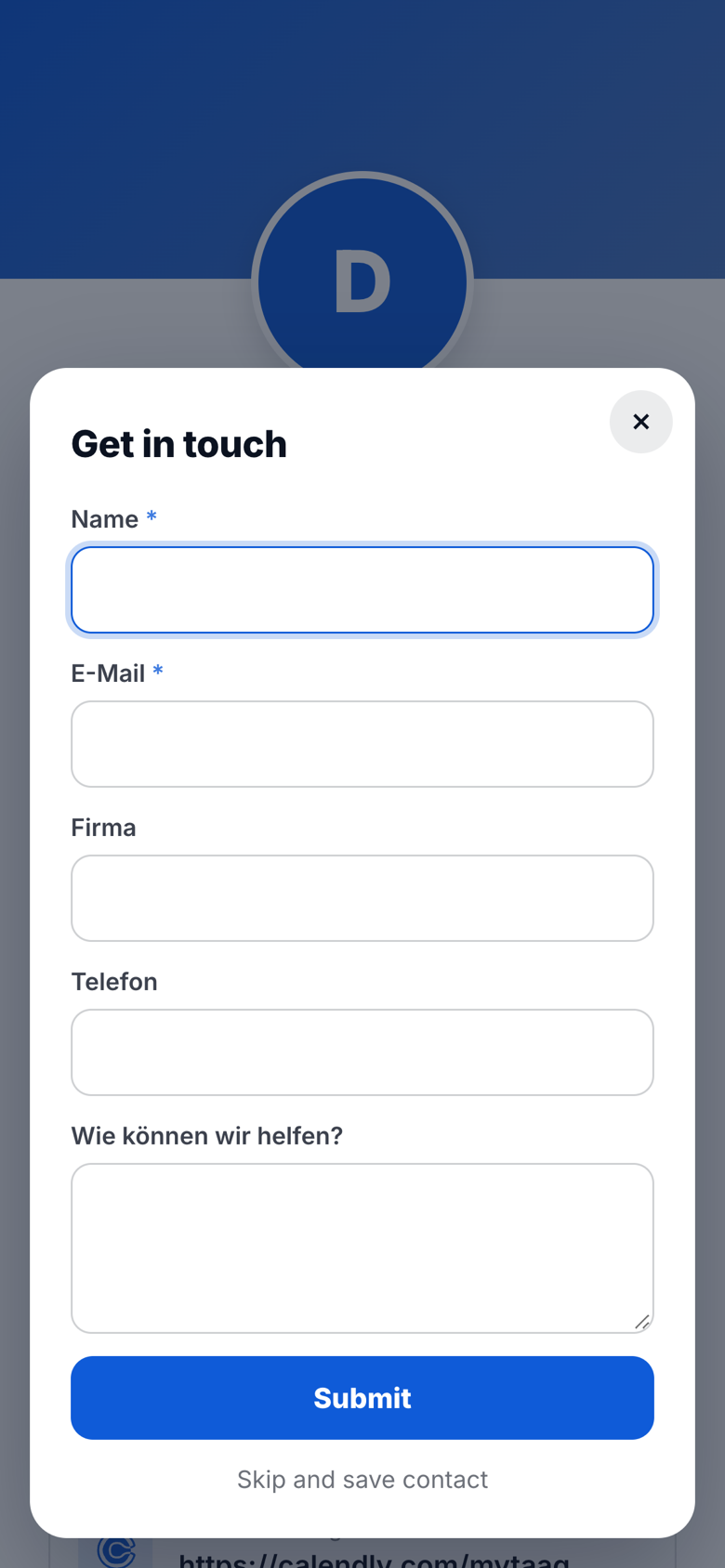
MyTaag turns the exchange around. Whoever opens your business card can leave their own details at the same moment – a two-way contact exchange, no app and no retyping. The contacts land as leads in your company, linked to your business card.
How lead capture works
Three steps from conversation to a lead in your list.
Share your card
You share your digital business card via NFC card, QR code, link or from your Wallet. The other person opens it in their browser.
Fill in the form
Before or after "Save contact", your lead form appears. The other person enters their name, email and other fields and gives consent.
Work the lead
The lead lands in MyTaag, linked to your business card. You add labels, assign an owner and turn it into a deal in the CRM.
Lead form
A lead form on your business card
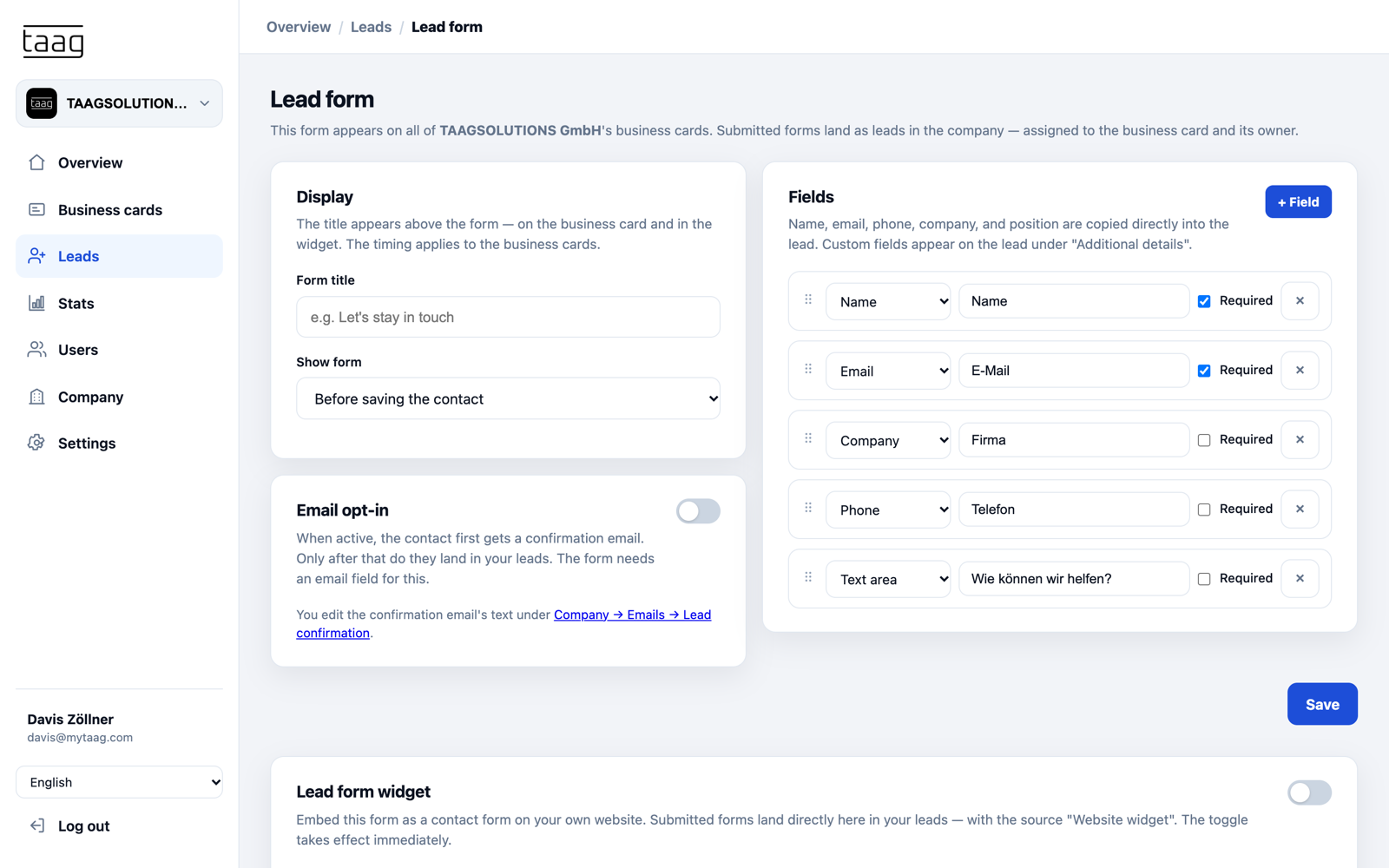
You decide when the form appears: before the contact is saved, afterwards, or as soon as the business card opens. You choose the fields freely – name, email, phone, company, job title, website, address or a text field like "How can we help?" – and mark which ones are required.
- One form for every cardThe form applies to all of your company's business cards. Submitted forms become leads, linked to the business card and its owner.
- No typosPeople enter their own details – no more retyping paper cards.
- Scan paper business cardsHanded a paper card after all? Scan and save it in the MyTaag app.
Website widget
The same form as a website widget
What sets MyTaag apart from many digital business card providers: you can also embed your business cards' lead form on your own website as a contact form.
Switch on the widget in the lead form settings and add it to your website with a short code snippet. Submitted forms land directly in your leads, tagged with the source "Website widget". That puts contacts from conversations, trade shows and your website in one list – with the same fields, the same consent and the same path into your CRM.
- One form, two places
- Source "Website widget"
- Same fields and consent
- Straight into your leads
Consent and GDPR
If you collect contact details, you need a clean legal basis. That's why the lead form includes consent and privacy notices. If you like, switch on email opt-in: the contact first receives a confirmation email and only lands in your leads after confirming. The form needs an email field for this, and you can adapt the text of the confirmation email in your company's email templates.
All data is stored on servers in Germany. Permissions per area decide who can see and edit leads at all. Learn more under privacy & security.
Where your leads come from
Every route leads into the same lead list.
| Source | How the lead is created | Typical use |
|---|---|---|
| Form on the business card | The other person enters their details before or after "Save contact" | Client meeting, networking, trade show booth |
| Website widget | A visitor fills in the form on your website | Contact page, landing page, event sign-up |
| Import | Upload existing contacts as a file | Moving over from Excel or another system |
| Manual entry | You create the lead yourself | Phone call, referral |
| Business card scanner | Scan a paper card in the MyTaag app | When someone hands you a paper card |
Organize leads
Labels, groups and owners
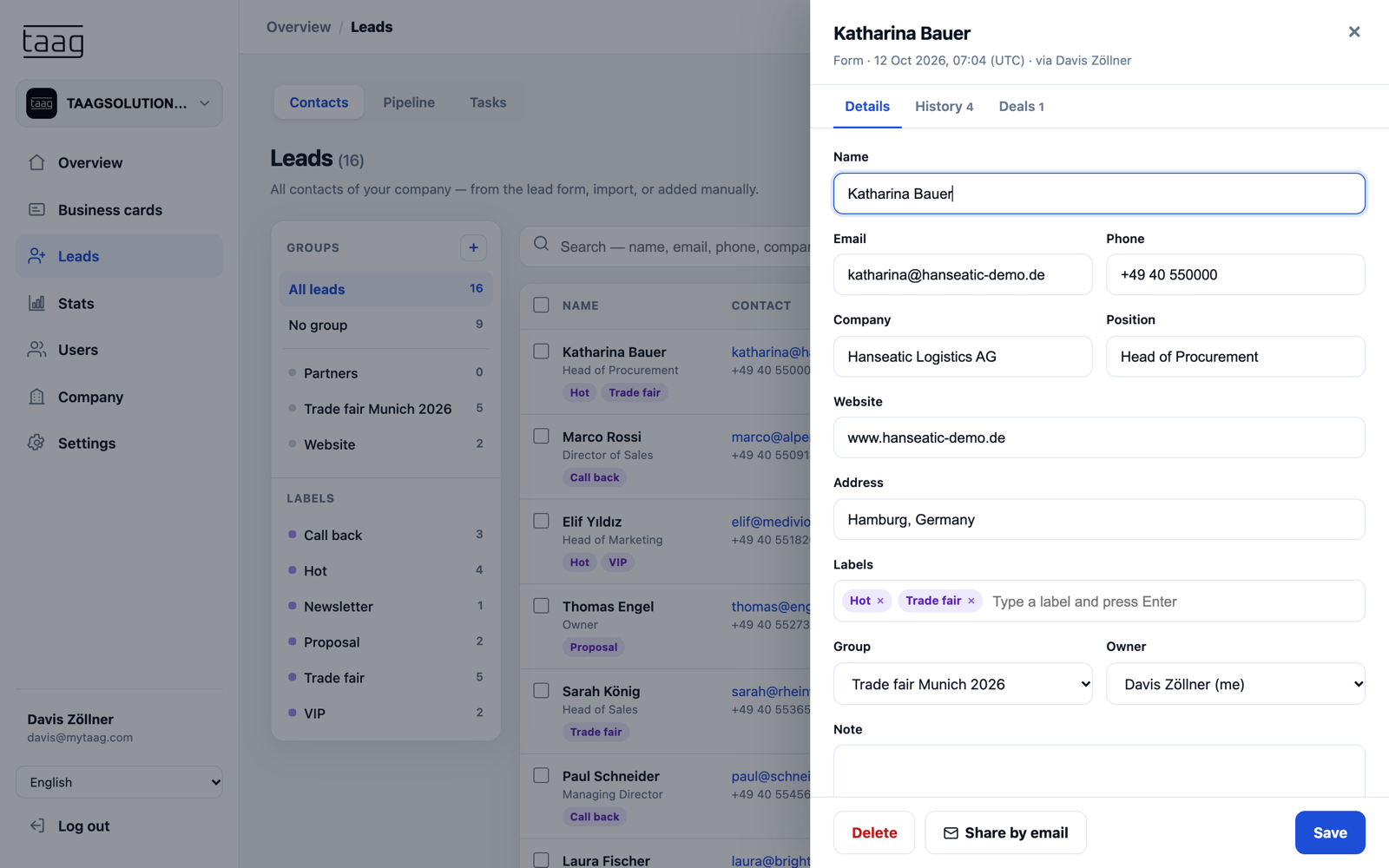
A lead list is only as good as its structure. In MyTaag you tag leads with labels like "Hot" or "Call back", group them – for example one group per trade show – and decide who on the team owns them.
- Share by emailForward a lead to colleagues by email, with a vCard attached.
- Export as CSV or ExcelManage your leads in MyTaag or in the CRM of your choice – export is available anytime.
- ImportImport existing contacts so everything lives in one place.
From lead to deal
Leads into the CRM, and the follow-up
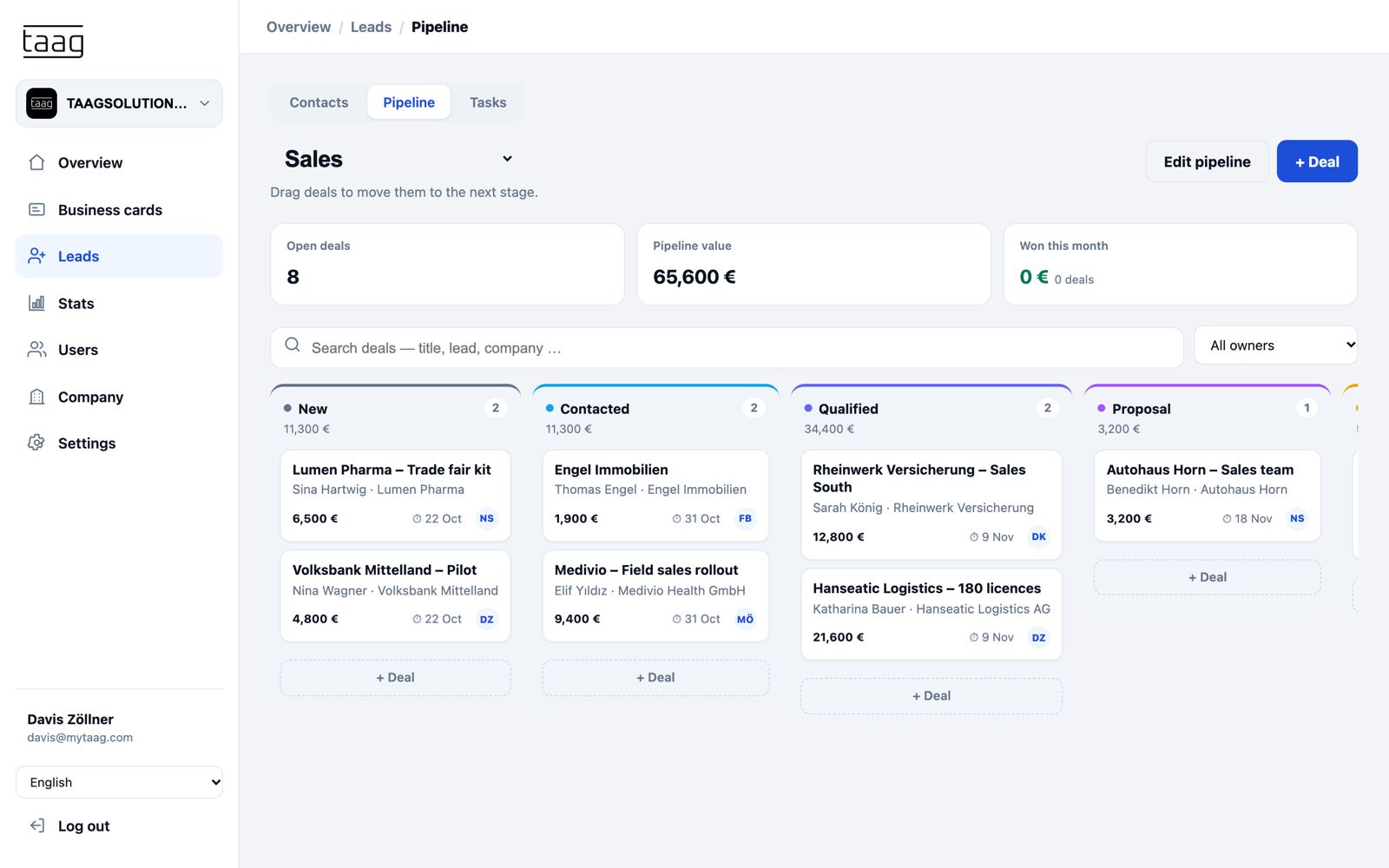
A lead is the beginning, not the goal. In the built-in CRM you turn leads into deals: pipelines with your own stages, drag-and-drop deals, tasks with due dates and a history of notes, calls, emails and meetings.
Email templates in your own voice take care of the follow-up – from the double opt-in confirmation to your company's system emails. That's how yesterday's contact becomes tomorrow's meeting. For events, see trade show lead capture.
Lead capture at a glance
Especially effective in real estate and for field teams in healthcare & pharma.
Two-way exchange
The other person needs no app and leaves their details right on your business card.
Website widget
The same form as a contact form on your website – leads tagged with the source "Website widget".
Consent built in
Consent and privacy notices, with optional email double opt-in.
Order across the team
Labels, groups and owners, plus sharing by email with a vCard.
Analytics and campaigns
Saved contacts and link clicks per business card, time period and trade show.
Learn more – Analytics and campaignsEvery channel
The form appears whether the card was opened via NFC, QR code, link or Wallet.
Learn more – Every channel
Lead capture FAQ
Form, widget, consent and export – quick answers.
How does lead capture work with MyTaag?
A lead form appears on your digital business card – before or after "Save contact", or as soon as the card opens. The other person enters their details and MyTaag creates a lead, linked to your business card.
Which fields can the lead form have?
You choose the fields freely, for example name, email, phone, company, job title, website, address or a text field. Each field can be required or optional.
Can I embed the form on my website?
Yes. The same form is available as a website widget. Submitted forms land in your leads with the source "Website widget".
Is lead capture GDPR-compliant?
The form includes consent and privacy notices. If you want, contacts confirm their details via double opt-in before they appear in your leads. The data is stored on servers in Germany. More under privacy & security.
Can I export leads to my CRM?
Yes, as a CSV or Excel file. Or work your leads directly in the built-in MyTaag CRM.
Can I distribute leads across the team?
Yes. You assign owners, organize leads with labels and groups, and share individual leads by email with a vCard attached.
How do I capture leads at trade shows?
With the lead form on your booth team's business cards, one lead group per show and a campaign in your analytics. The full playbook is on our page about trade show lead capture.
Turn every contact into a lead
In the demo, we show you the lead form, the website widget and the path into your CRM.