Digital business cards for trades and contractors
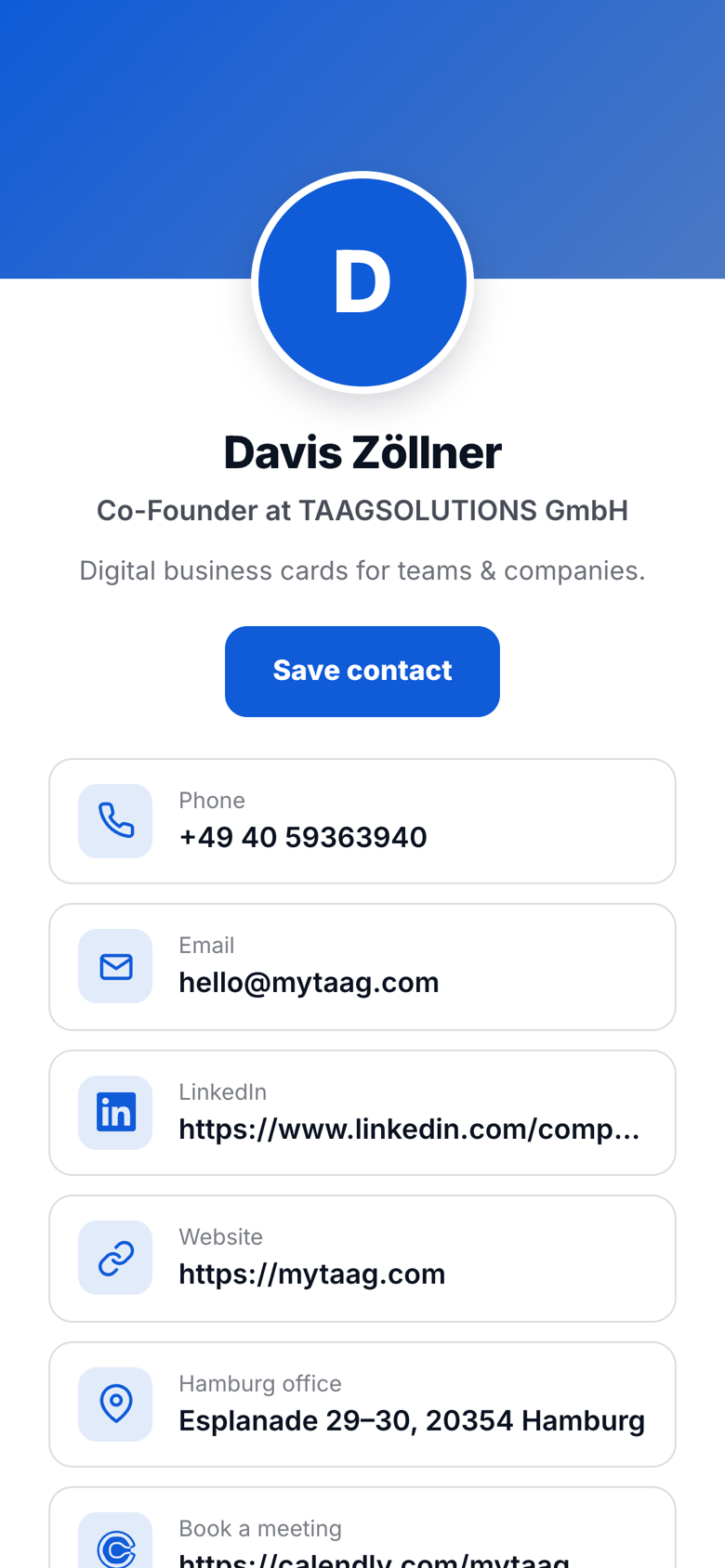
With MyTaag, master tradespeople, installers and service technicians share their contact details right at the customer's site via NFC card or QR code – no app, no grubby paper card. Requests arrive at the office instantly through the lead form, and you manage every card in your business from one place.
The challenge for trade businesses
Lots of work on site, little time for admin – and customers who want to reach someone quickly when they have questions.
In the trades, customer contact happens on the building site, in the boiler room or at a consultation in someone's living room. Paper business cards get dirty fast, disappear in a pile of paperwork or go out of date when a mobile number changes. Meanwhile, someone back at the office is waiting for the right details to write a quote.
A digital business card for contractors and tradespeople solves both: the customer saves your contact with a tap, and your business gets the request cleanly and digitally. On top of that, you can link references, reviews and service offers and change them whenever you like.
| Challenge | How MyTaag solves it |
|---|---|
| Paper cards get dirty and lost | Contact goes straight to the customer's phone via NFC or QR code |
| Wrong email addresses on scribbled notes | Customers enter their own details in the lead form |
| Requests across different channels | The same form as a website widget, all leads in one place |
| Collecting reviews | Link to your review profile on the card, editable any time |
| Changing technicians and vehicles | Assign and move business cards and NFC cards centrally |
The situation: a heat pump consultation
The use case: the digital service interface.
Consultation
From paper chaos to one point of contact on the phone
One of your heating engineers is conducting a consultation for a new heat pump. The customer is interested but concerned about the complex coordination, accessibility for follow-up questions, and the “paper chaos” he knows from other construction sites.
- Professional media breakYour master demonstrates with MyTaag that his company is already digital and forward-looking. Instead of handing over an old, soggy, dirty paper business card that disappears in the customer's pile of papers, the potential customer saves the master's contact directly in their smartphone, including forms and brochures.
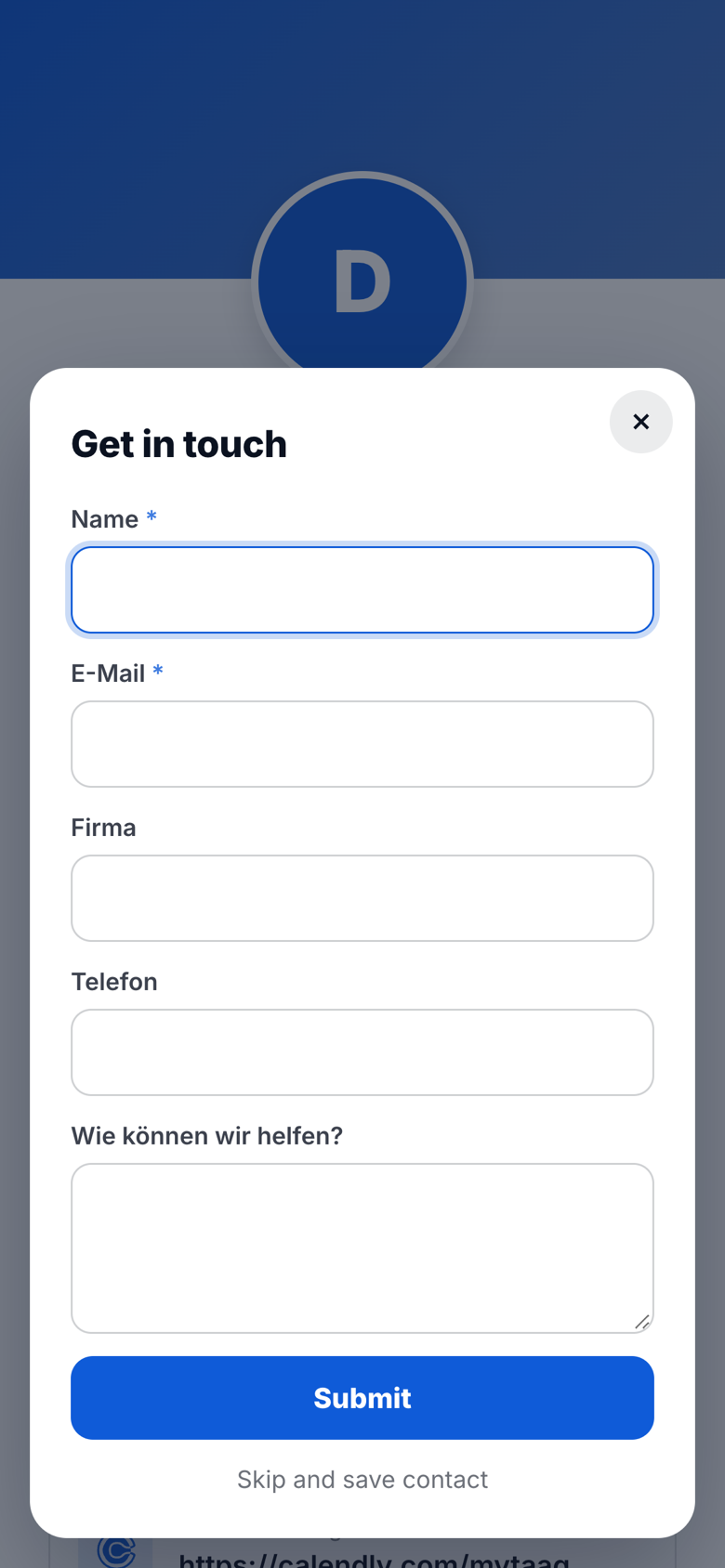
- Lead capture for the back officeUsing the integrated form on his MyTaag profile, the master captures the correct email address and the customer's concern on-site. This data is transmitted digitally immediately via the MyTaag software to the office, so that the quote can be created in parallel in the background while the master is still on-site with the customer.
- Central service hubButtons for digital acceptance protocols or maintenance planners are embedded on the profile. The customer thus has a central point of contact on their phone, which massively lowers the barrier for follow-up questions and greatly increases customer satisfaction.
On site
On site: share without an app
The customer holds their phone to the NFC card or scans the QR code with the camera – the profile opens in the browser and “Save contact” adds the vCard to their address book. No app required.
- Your card on the vanPut your business card's QR code on the company vehicle – anyone interested at the lights or in the car park scans it and has your details straight away.
- On the job siteOn the site board, the quote or the handover report, the same QR code leads to the current card – even after a phone number change, with no reprint.
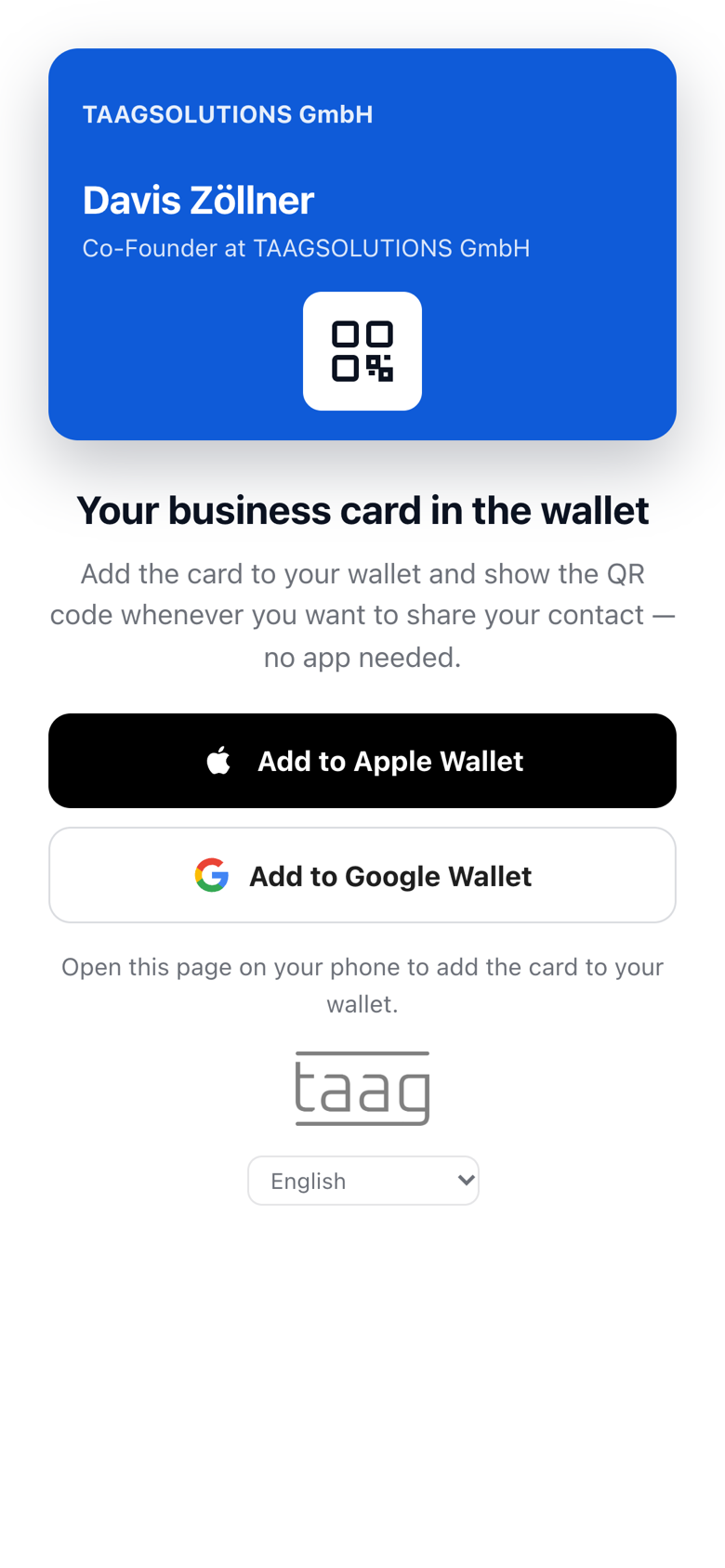
- Always to hand in the walletWith the card in Apple or Google Wallet, technicians simply show the QR code on their own phone.
More on the QR code business card and NFC business cards.
Requests
Requests via lead form and website widget
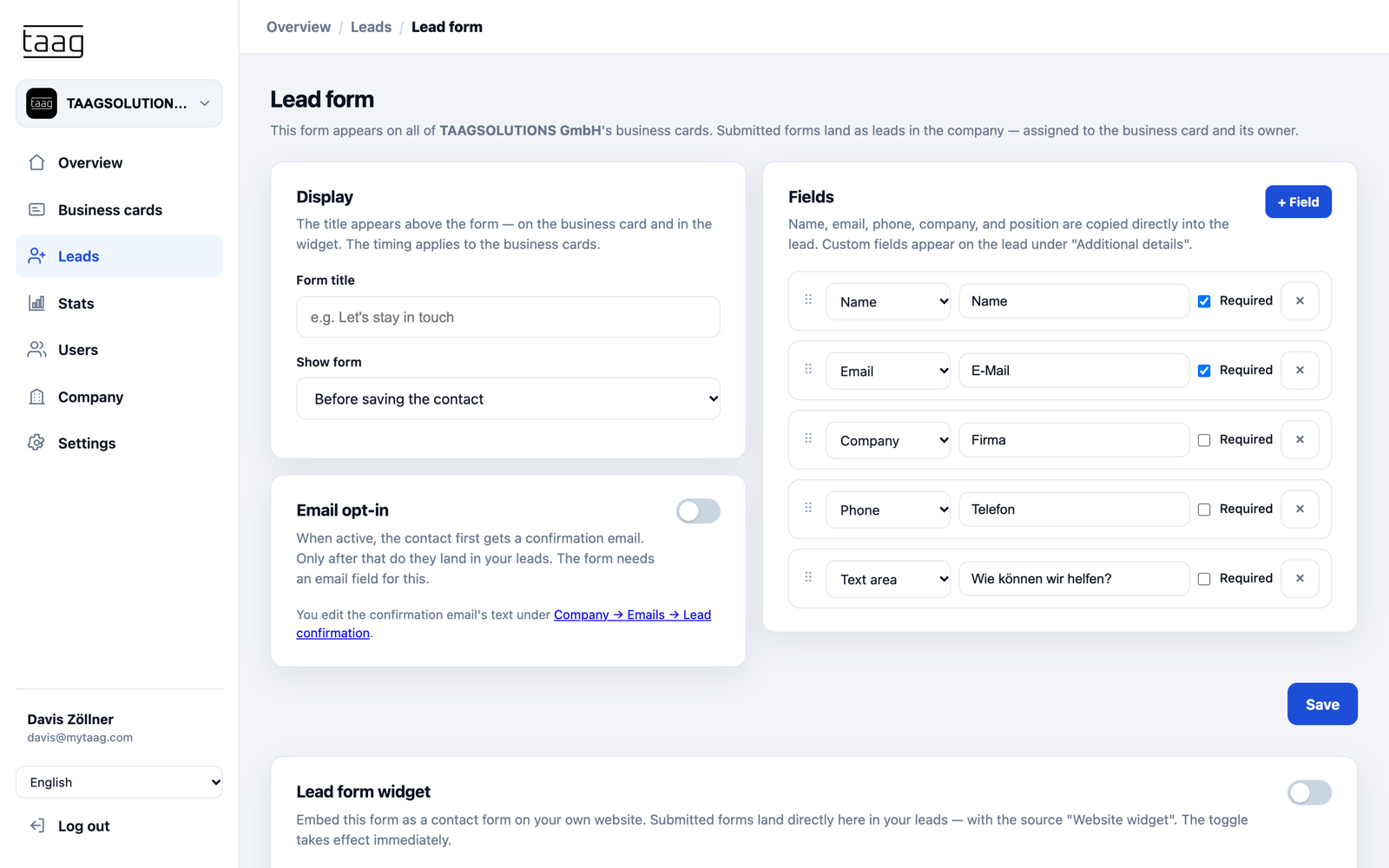
The form on your business card asks for exactly what the office needs: name, email, phone, address and the job. You choose the fields. Embed the same form on your website as a widget, and requests from the website and from the job site end up in one place.
- Share leads with colleaguesThe office forwards a request by email, vCard attached, to the right technician.
- Labels and ownersTag requests as “Maintenance”, “New build” or “Emergency” and decide who takes care of them.
- Through to the orderTrack each request in the built-in CRM from quote to signed job, with tasks and due dates.
Everything about lead capture with MyTaag.
Trust
Link reviews and references
Add links to reference projects, your review profile and service offers such as maintenance contracts. Upload brochures, data sheets or care instructions as PDF files. More than 40 field types are available – from WhatsApp and Instagram to a Calendly link for booking consultations.
Once the job is done, ask the customer for a review straight from your card. The card stays the same; you change links any time in the dashboard.
Team
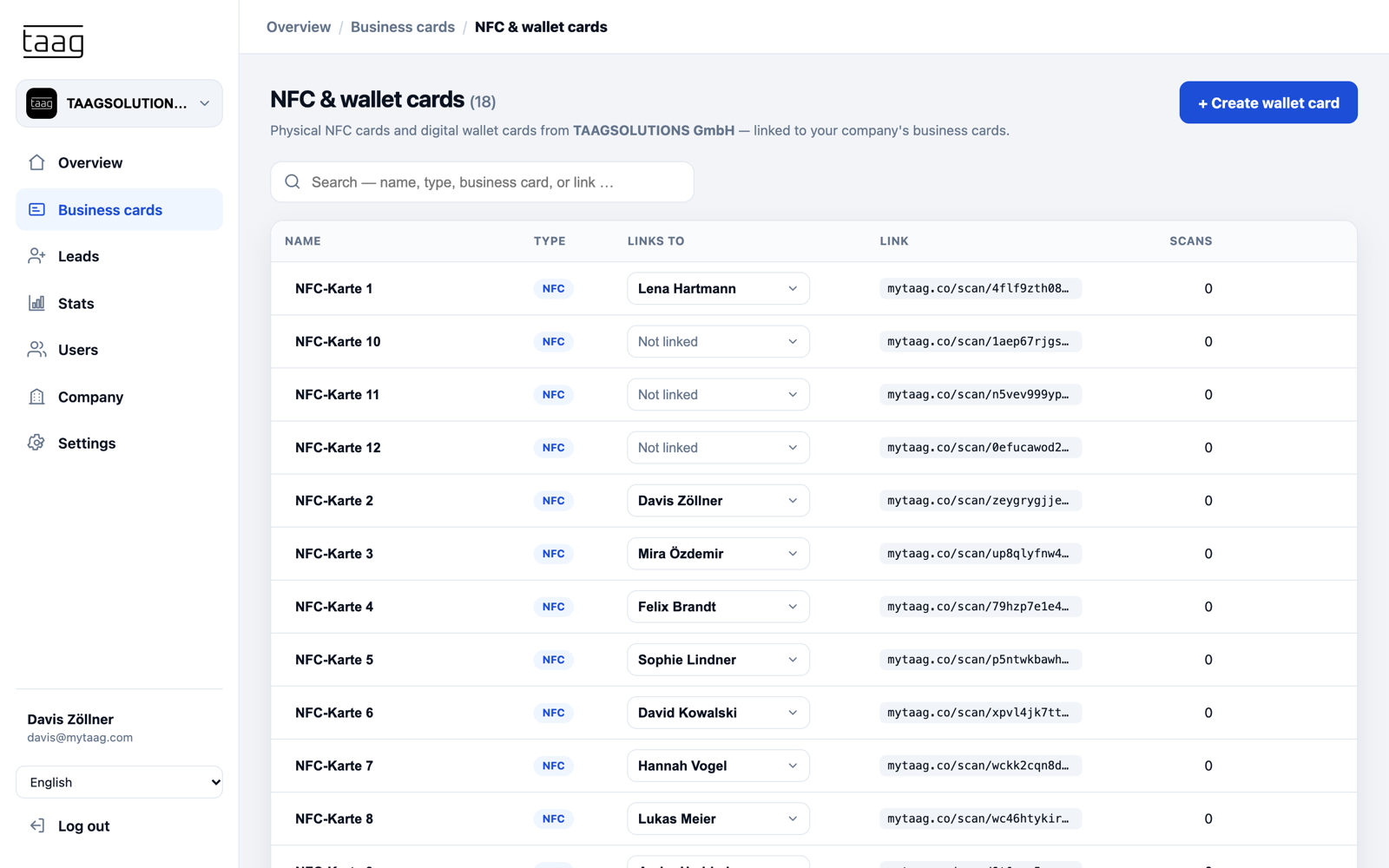
Manage technicians centrally
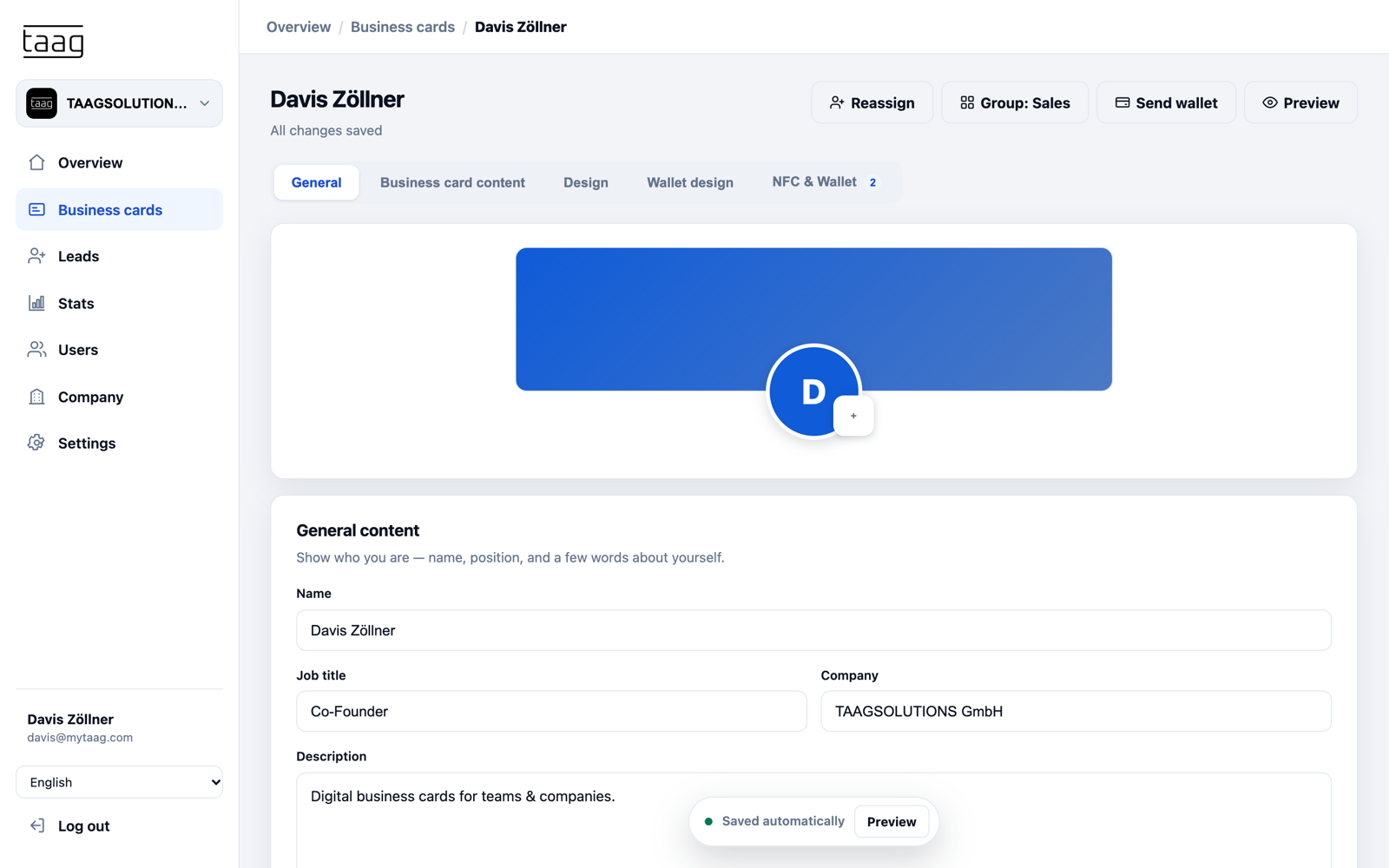
In the dashboard you create a card for every employee in your company's design – logo, colours and company address are inherited by all cards automatically. Invite new technicians by email, or create many cards at once with a CSV or Excel import.
- NFC card managementLink NFC cards to business cards, move or unlink them – and see how often each card was scanned.
- Team changesWhen someone leaves, reassign their business card and NFC card to whoever takes over.
- GroupsPlumbing, electrical or customer service as groups with their own content.
From contact to customer in three steps
Share contact
Now share contact details with digital business cards! No matter if via NFC card, wallet, or QR code.
Generate leads
Finally generate leads properly! Fully digital, lightning fast, and without typos.
Win customers
Win new customers immediately: with outreach that is both automated and personalized.
Features for trades and contractors
QR code
On the van, the site board or the quote – always leads to your current card.
Learn more – QR codeNFC card
Tap instead of type: your contact lands on the customer's phone in seconds.
Learn more – NFC cardLead form & widget
Requests from the job site and from your website in one place.
Learn more – Lead form & widgetLinks & files
Link your review profile, references, maintenance offers and PDF brochures.
Central management
Assign, move and unlink business cards and NFC cards for every technician.
Learn more – Central managementScheduled content
New emergency number from a set date? Fields go live automatically on the day.
FAQ: digital business cards for contractors
Why is a digital business card worth it for trades?
Share contact details via QR code or NFC – right at the customer’s site, without a paper card. You can bundle services, references and a review link and update them at any time.
Can I collect customer reviews?
Yes. You can add any links – for example straight to your review profile – and ask for feedback easily after a job. The card stays the same; the link can be changed anytime.
Does it work without technical know-how?
Yes. A profile is created in a few minutes, the recipient needs no app, and changes are possible in real time at any moment.
Can I put the QR code on my company van?
Yes. The QR code points to your card's profile. If you change your phone number or links there, the code on your van, site board or quote stays valid.
How do requests from the job site reach the office?
The customer enters their details in the lead form on your card. The request shows up in MyTaag straight away, where the office can label it, assign it to a technician or forward it by email.
More industries
See MyTaag in other industries – or go back to the overview of all industries.