Digital business cards for banks and financial advisors
With MyTaag, corporate and private banking advisors share their contact details by NFC card, QR code or wallet pass – and capture prospects right on their digital business card. Everything runs GDPR-compliant on servers in Germany, with per-area permissions and two-factor sign-in.
Teams at these companies connect with MyTaag






Challenges in bank sales
Advice runs on trust, new business runs on speed – and both happen under strict regulation.
Corporate banking, private banking or the branch counter: bank advisors meet business owners, private clients and partners every day. Paper cards go out of date the moment responsibilities shift, branches merge or a direct line changes. Contacts from networking events end up in jacket pockets instead of the CRM, and every card someone has to retype is time taken away from advising clients.
On top of that, financial institutions face particularly high expectations around data protection and access control. A digital business card for a bank has to do more than look good: it needs central control, data processing in Germany and clearly defined roles.
| Challenge | How MyTaag handles it |
|---|---|
| Outdated details after a reorganization | Edit profiles centrally; scheduled content goes live automatically on the set date |
| Event contacts get lost | Lead form on the business card, with optional double opt-in |
| Strict data protection requirements | Servers in Germany, two-factor sign-in, per-area permissions |
| Inconsistent branding across branches | Corporate design for the company and groups, inherited by every card |
| Retyping contacts into the CRM | CSV or Excel export, integrations and a built-in CRM with pipeline |
Branch, advisory meeting, event
Example situation of a bank using MyTaag.
Modern acquisition management
One tap at the networking event instead of a crumpled paper card
One of your corporate client advisors is at an exclusive networking event for SMEs. He meets a managing director who is dissatisfied with his current bank. While other advisors rummage through their pockets for crumpled paper cards, your advisor uses a personalised MyTaag NFC card in your bank’s design.
- The innovation edgeBy simply tapping the entrepreneur’s smartphone, your advisor immediately signals: we are digitally up to date. For an entrepreneur, this is often the first indication that the bank’s online banking and credit processes are modern and reliable.
- Lead capture formInstead of hoping the entrepreneur will get in touch, your advisor uses the integrated form on his MyTaag profile. The entrepreneur briefly enters his name and email – both sides have each other’s details immediately, which gives your advisor lasting support in the follow-up.
- CRM synchronizationThe new prospect’s data flows directly into your bank’s CRM system via the MyTaag interface (e.g. from Salesforce, HubSpot, Atruvia or Finanz Informatik). The advisor can continue with the follow-up the next morning without wasting countless minutes typing up business cards.
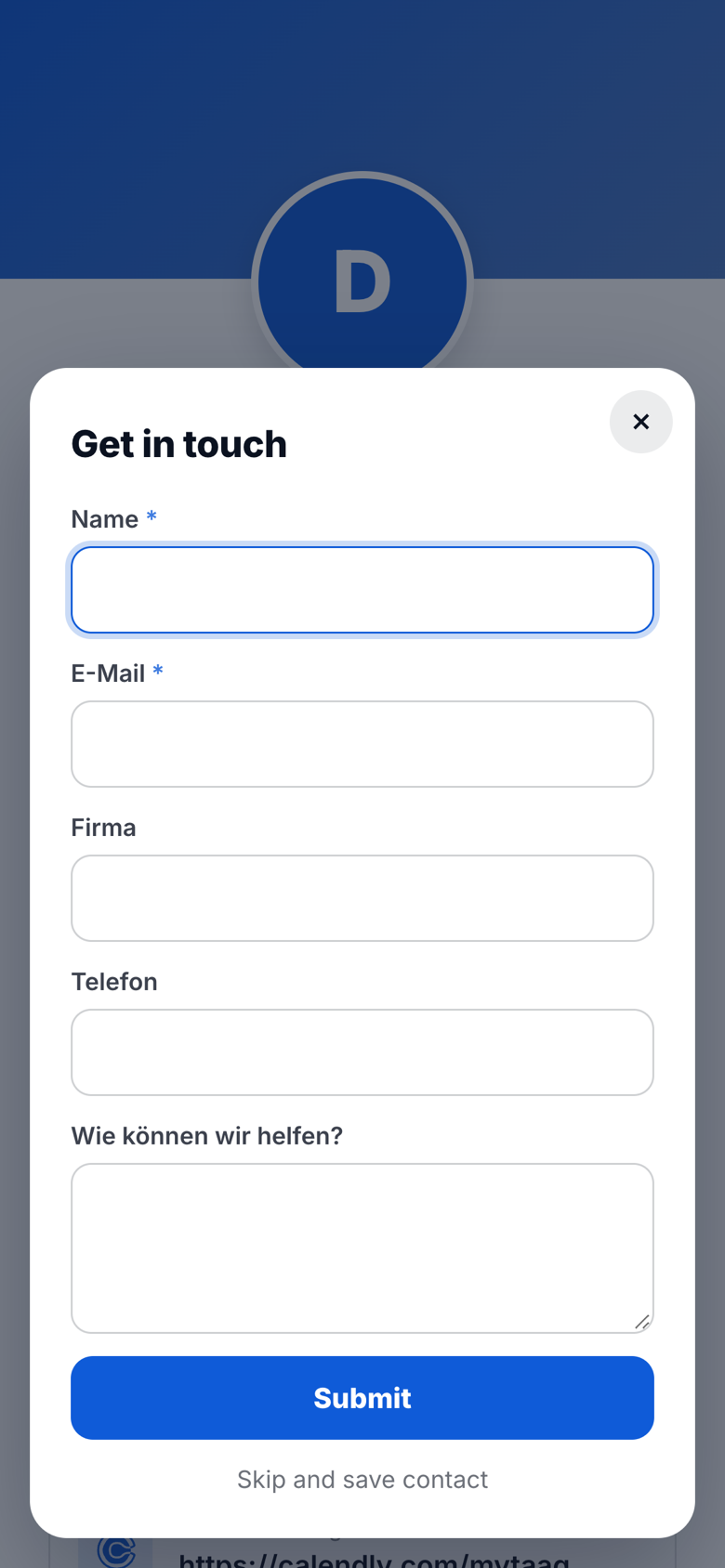
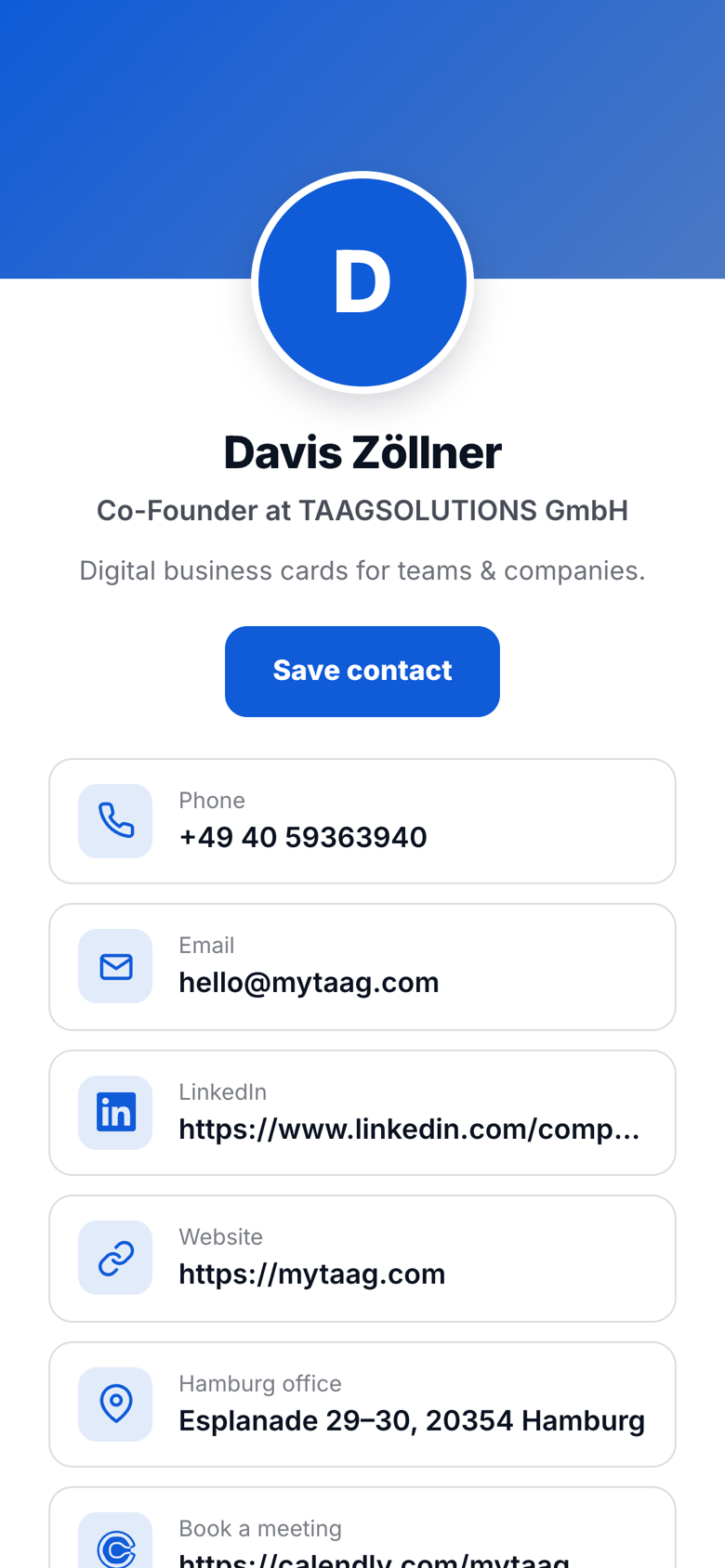
It works the same way in the branch: the card’s QR code sits on the advisor’s desk or in their Apple or Google Wallet. Clients scan it with their camera and tap “Save contact” to store a vCard – no app needed. After the meeting, the profile link can also go out by email, text message or in the email signature.
Compliance
Compliance: permissions, 2FA, servers in Germany
MyTaag is developed in Germany and runs on servers in Germany. For institutions that take their data protection and IT security policies seriously, these points matter most:
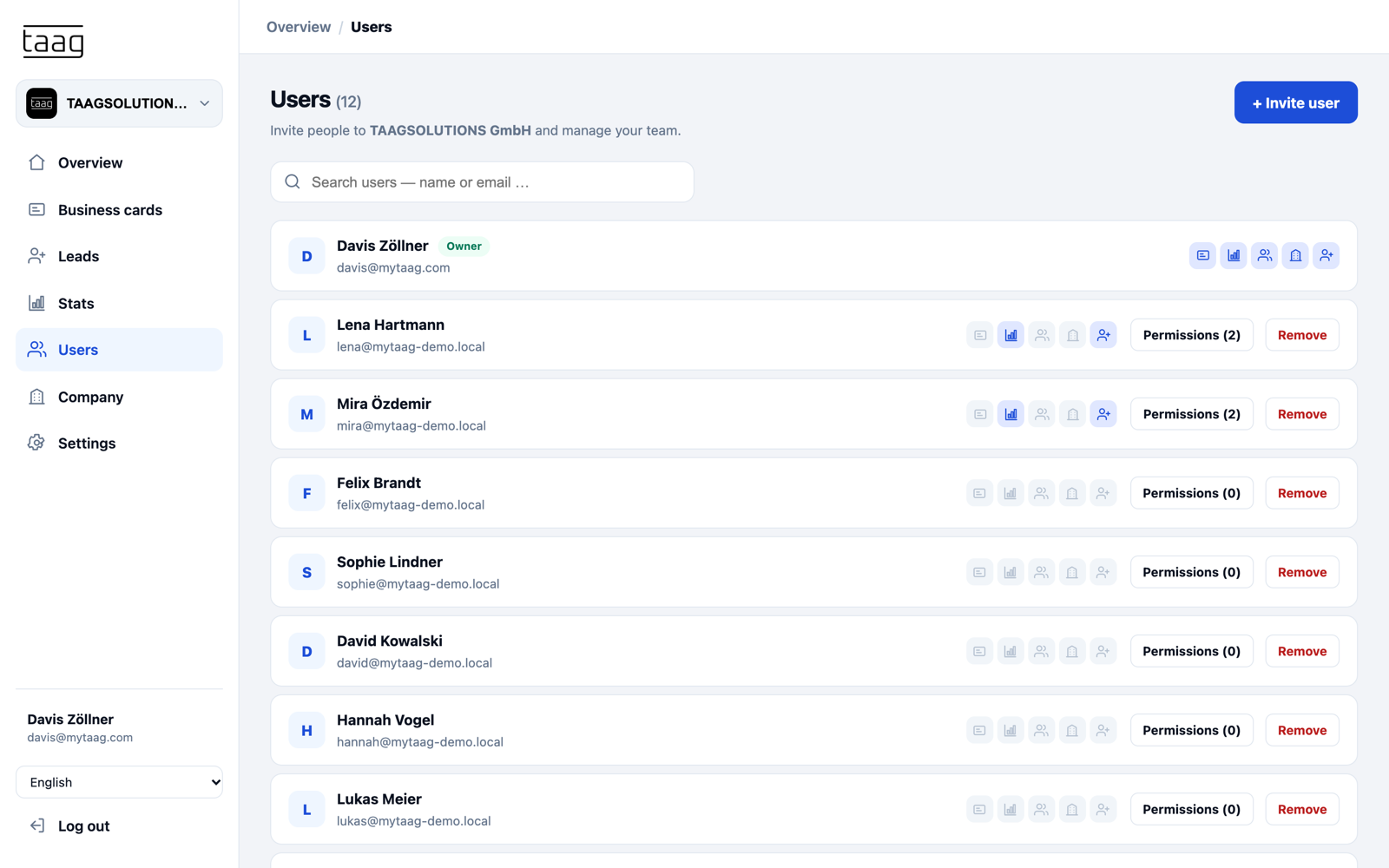
- Per-area permissionsDecide who may view and edit business cards, analytics, users, company settings or leads – for example marketing for the design, sales management for leads.
- Two-factor sign-inSign in with an email code; turning 2FA on or off also requires a code. Password changes only work via an email link and sign out every device afterwards.
- Controlled invitationsUsers can only be invited into your own company. When someone leaves the bank, you decide whether their business card and NFC card are kept and reassigned.
Find out more on our privacy & security page.
Leads & follow-ups
Track leads and follow-ups
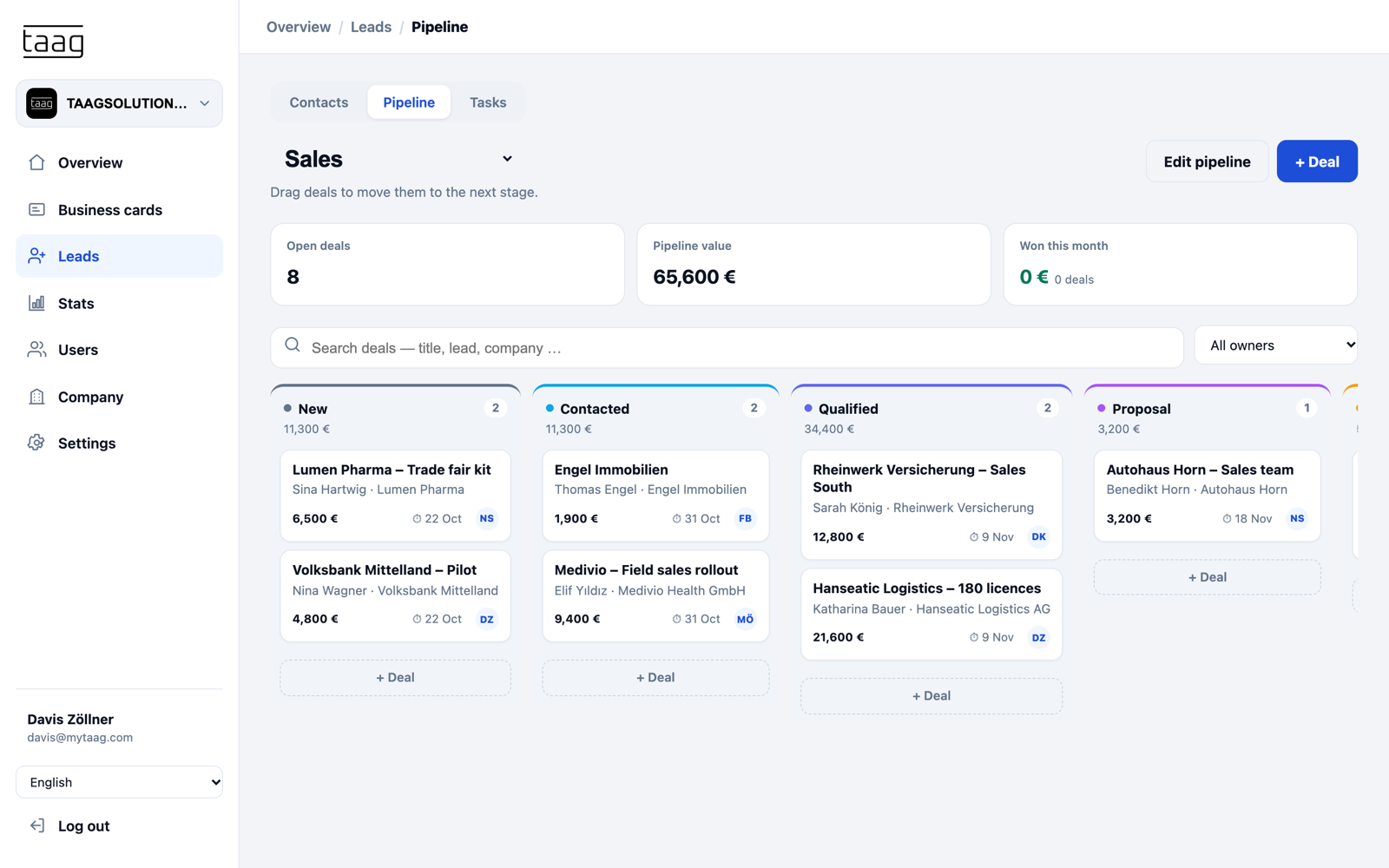
Every contact submitted through the form on a business card lands in MyTaag’s lead capture. There you tag it with labels, assign it to an event and choose the responsible advisor. If you’d rather not connect an external system, work straight in the built-in CRM with pipeline.
- Pipeline with stagesFrom first meeting to credit approval: drag deals through your stages and record deal values.
- Tasks with due datesCall back, request documents, book the next meeting: tasks with a date and an owner make sure nothing slips.
- Activity history per contactNotes, calls, emails and meetings are kept with the lead – handy when a colleague covers during holidays.
Corporate design
One brand across all branches
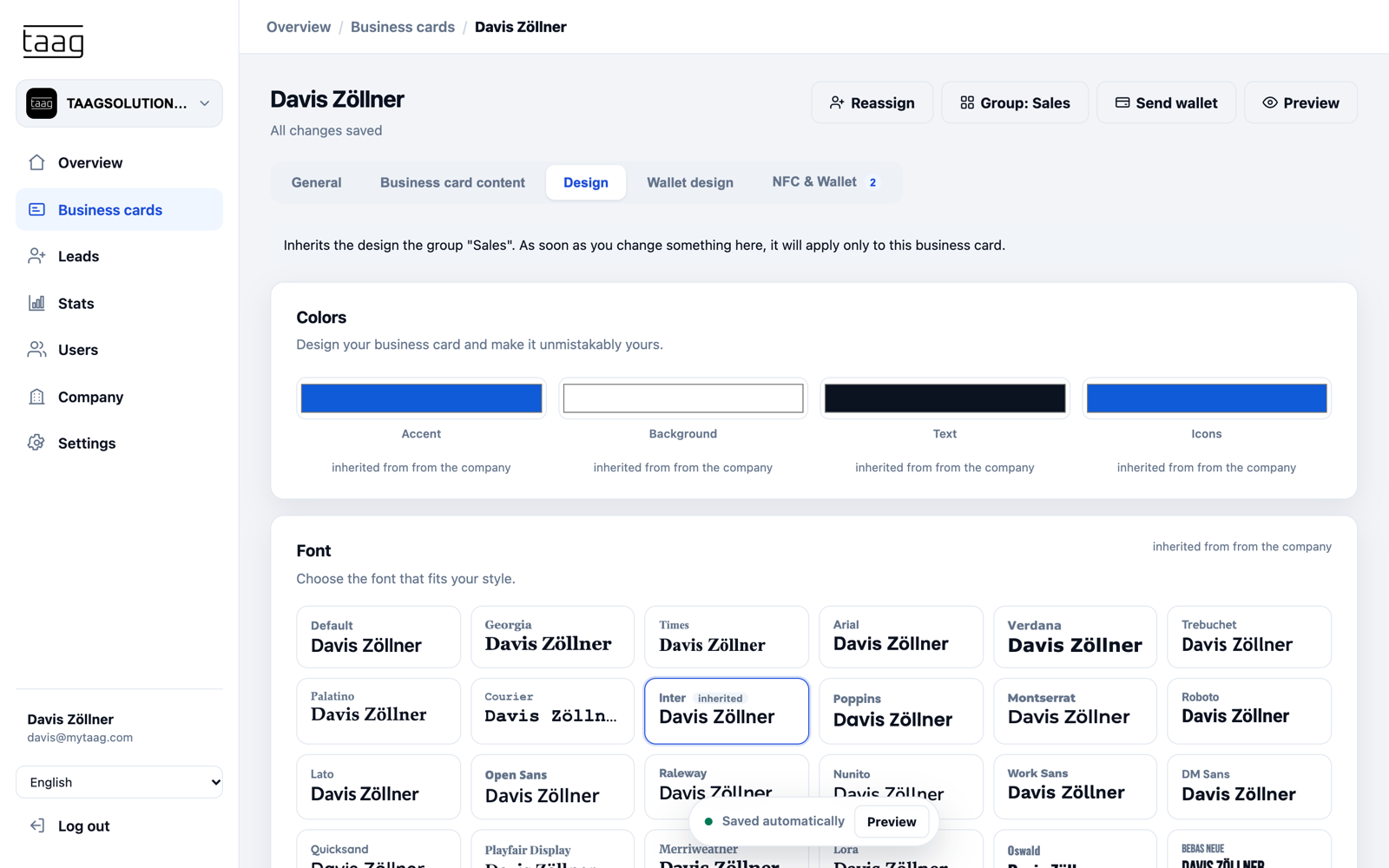
Set your logo, banner, colors and font once for the whole institution. Groups – regions, branches or the corporate banking team – inherit these settings and only differ where you allow it. Global content such as your legal imprint, an emergency number or social channels appears on every business card automatically.
Invite new advisors by email or import them from a CSV or Excel file. Learn more about managing large teams on our page on digital business cards for teams. And for anyone who prefers handing over something physical, there’s the NFC business card, which you link in the dashboard and reassign whenever needed.
From contact to client in three steps
Share contact
Share contact details with digital business cards now! Whether via NFC card, wallet, or QR code.
Generate leads
Finally generate leads properly! Fully digital, lightning fast, and without typos.
Win customers
Win new customers immediately – with outreach that is both automated and personalized.
Features banks rely on
GDPR-compliant
Developed and hosted in Germany, compliant with EU regulations.
Learn more – GDPR-compliantPermission management
Per-area permissions – business cards, analytics, users, company and leads – set for each person individually.
Learn more – Permission managementLead form
Prospects enter their own details, with optional email double opt-in and a consent text.
Learn more – Lead formApple & Google Wallet
The business card as a wallet pass with QR code that updates automatically whenever something changes.
Learn more – Apple & Google WalletScheduled content
New direct line or branch from the 1st of the month? Fields appear automatically on the set date.
Import & integration
Create business cards from CSV or Excel; bring in new employees automatically, e.g. from Azure.
FAQ: digital business cards for banks
Is a digital business card for banks GDPR-compliant?
Yes. MyTaag is GDPR-compliant and hosted on servers in Germany. Contact details and prospect data captured via the lead form stay under your control and can be transferred into your existing CRM – important in the highly regulated financial sector.
Can corporate advisors be managed centrally?
Yes. All employee profiles are managed centrally on one platform and designed in your institution’s corporate design. New advisors automatically receive a consistent profile via integration (e.g. Azure Active Directory).
How do leads from a networking event reach our CRM?
The other person fills in their details through the built-in contact form. Via integration (HubSpot, Zapier, etc.) they flow straight into your CRM – no retyping paper cards, no broken follow-up. Alternatively, export leads as CSV or Excel, or keep working in the MyTaag CRM.
Who can see and change what in MyTaag?
You decide per person. Permissions are separate for business cards, analytics, users, company settings and leads. Marketing can maintain the design without seeing leads, and sales management can review leads without creating users.
What happens to the business card when an advisor leaves the bank?
When you remove a user, you choose whether their business card and devices are kept. You can then reassign the card – including an NFC card or QR code already handed out – to their successor.
More industries
See MyTaag in other industries – or go back to the overview of all industries.