NFC business cards for teams
An NFC business card shares your contact details with a single tap: hold the card to a phone and your digital profile opens in the browser – no app needed. With MyTaag you manage your whole team’s NFC cards centrally, link them to business cards and reassign them whenever you need to.
- Made in Germany
- Servers in Germany
- Compliant with EU regulations
- As seen on the German version of Shark Tank
What an NFC business card needs to do for a company
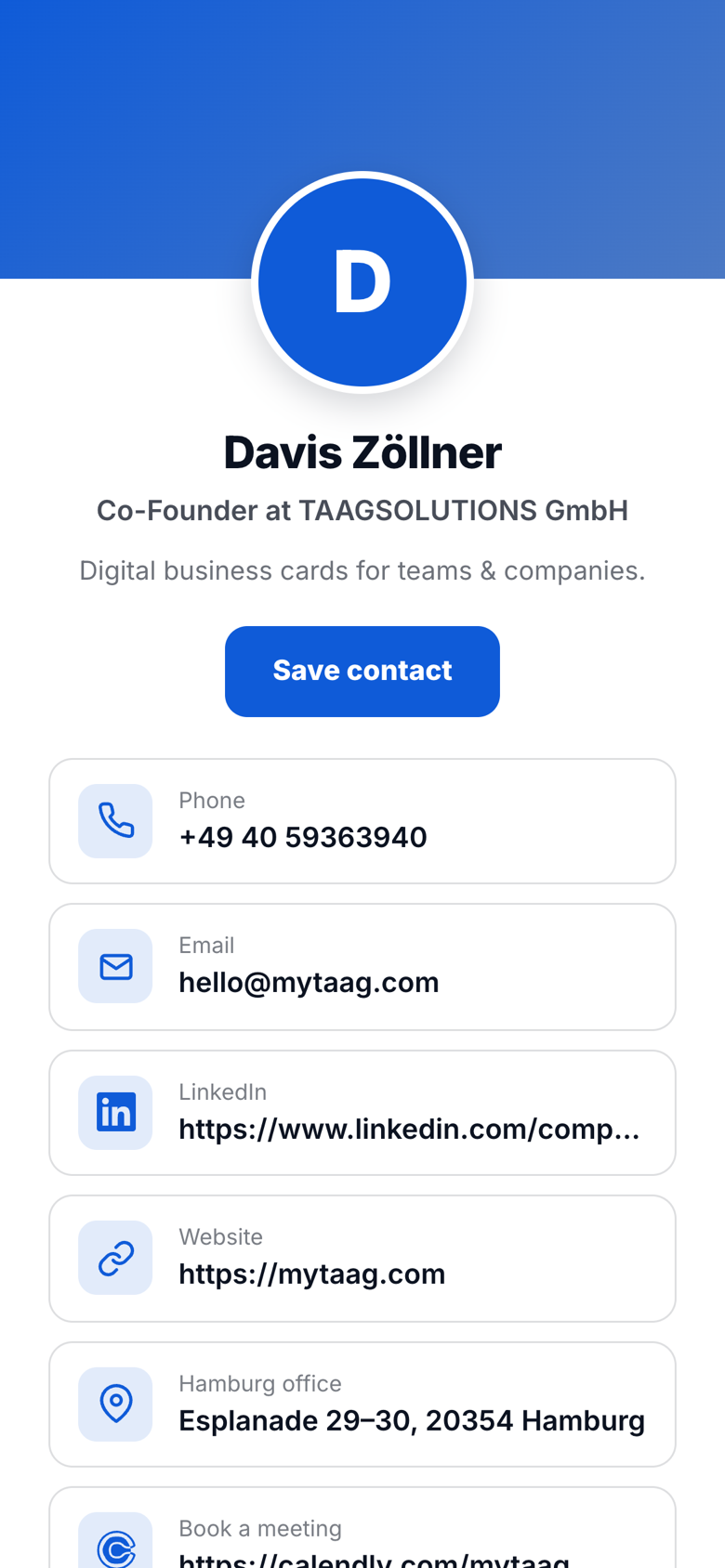
NFC stands for Near Field Communication: a small chip in the card that a smartphone reads from a few centimeters away. When you hold the card to someone’s phone, a link opens – with MyTaag, that’s your digital business card with photo, contact details, links and a “Save contact” button. The other person doesn’t need an app.
For an individual, that’s enough. For a company, it isn’t: there, every card needs to follow the corporate design, nobody should be out and about with outdated details, cards need to be passed on when the team changes, and every tap should turn into a usable contact. An NFC card hard-wired to one person and one profile can’t do any of that.
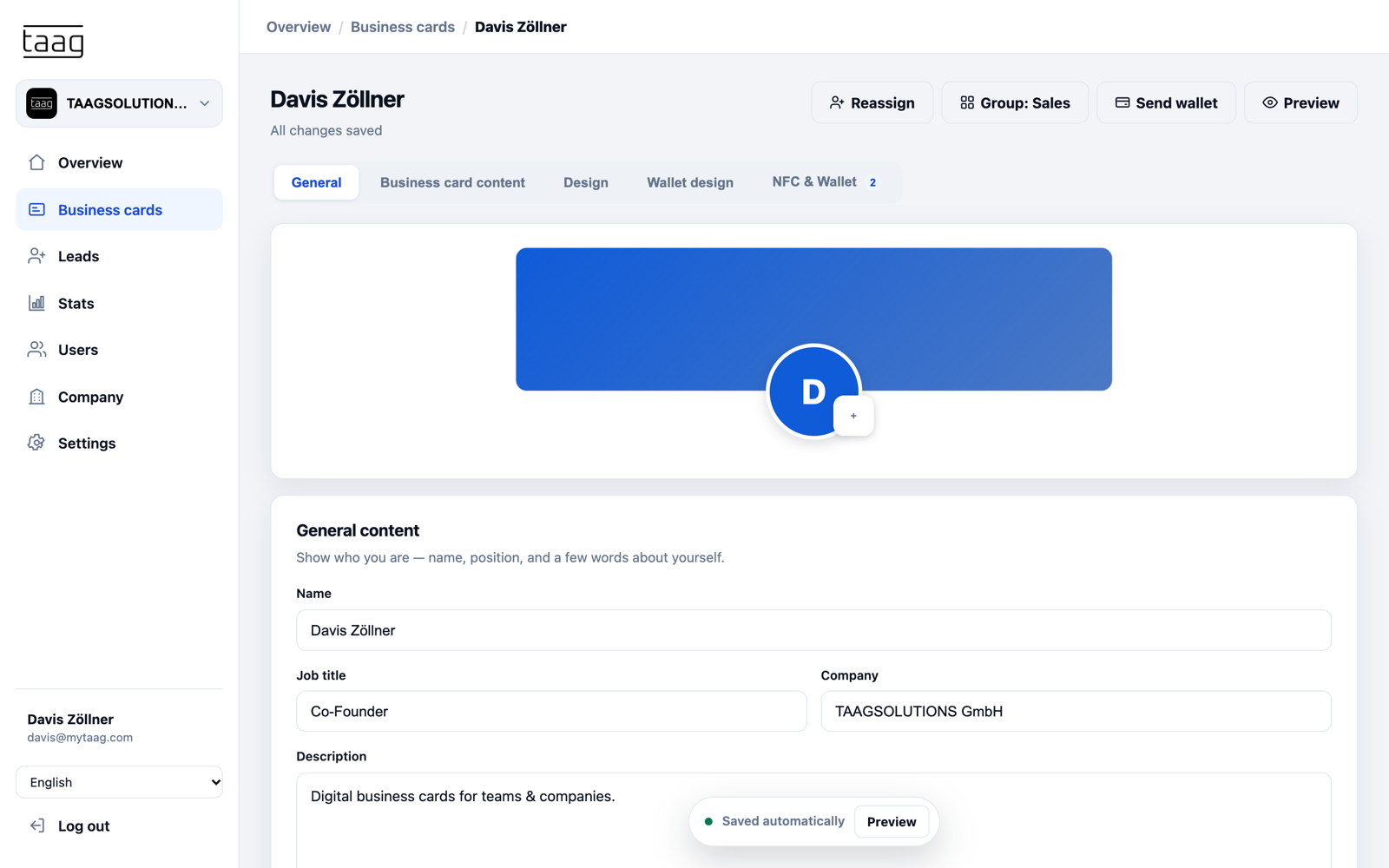
That’s why, at MyTaag, the NFC card is just the key. What opens behind it is controlled in the dashboard: which business card, which design, which content – changeable at any time, without a new card.
What MyTaag NFC cards can do
A card that always points to the latest version – and does more than hand over contact details.
Tap instead of type
One tap and your profile is there
The NFC card opens your digital business card right in the browser. The other person sees everything you’ve added: phone, email, address, website, LinkedIn, XING, WhatsApp, Calendly and more – there are over 40 field types to choose from. “Save contact” puts the vCard straight into their address book.
- Always up to dateNew job title, new number? You change the business card; the NFC card stays the same.
- QR code as a fallbackIf a phone has NFC turned off, the other person simply scans the QR code. Learn more about the QR code business card.
- In your corporate designThe profile behind the card inherits logo, colors and font from your company’s brand rules.
Leads with every tap
Two-way contact exchange
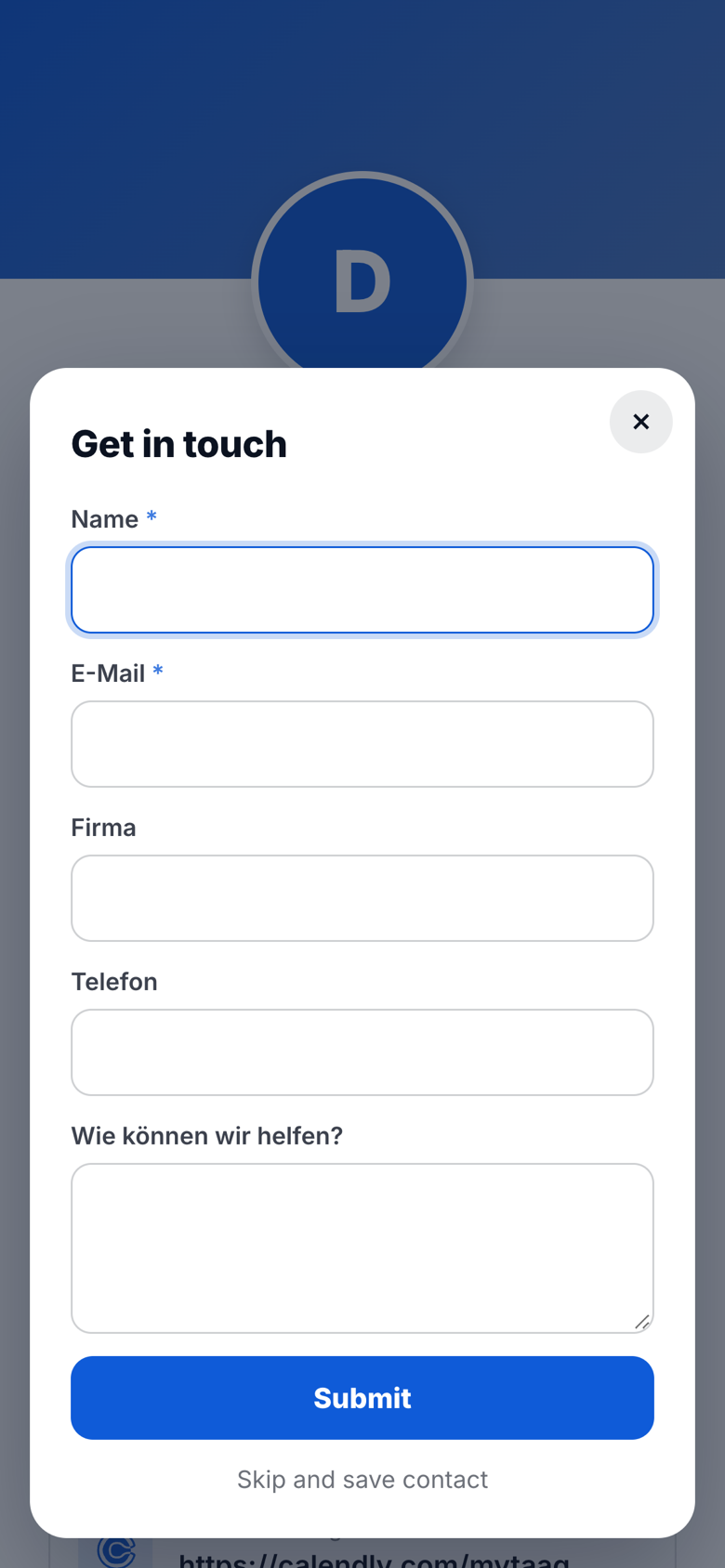
An NFC card doesn’t just pass on your details. If you like, a lead form appears before or after “Save contact” where the other person enters their own contact details – with consent and optional email double opt-in. The contact lands in MyTaag as a lead, assigned to your business card.
From there it moves into the built-in CRM with pipeline and tasks. Everything about lead capture with MyTaag.
NFC card management
Manage NFC cards centrally
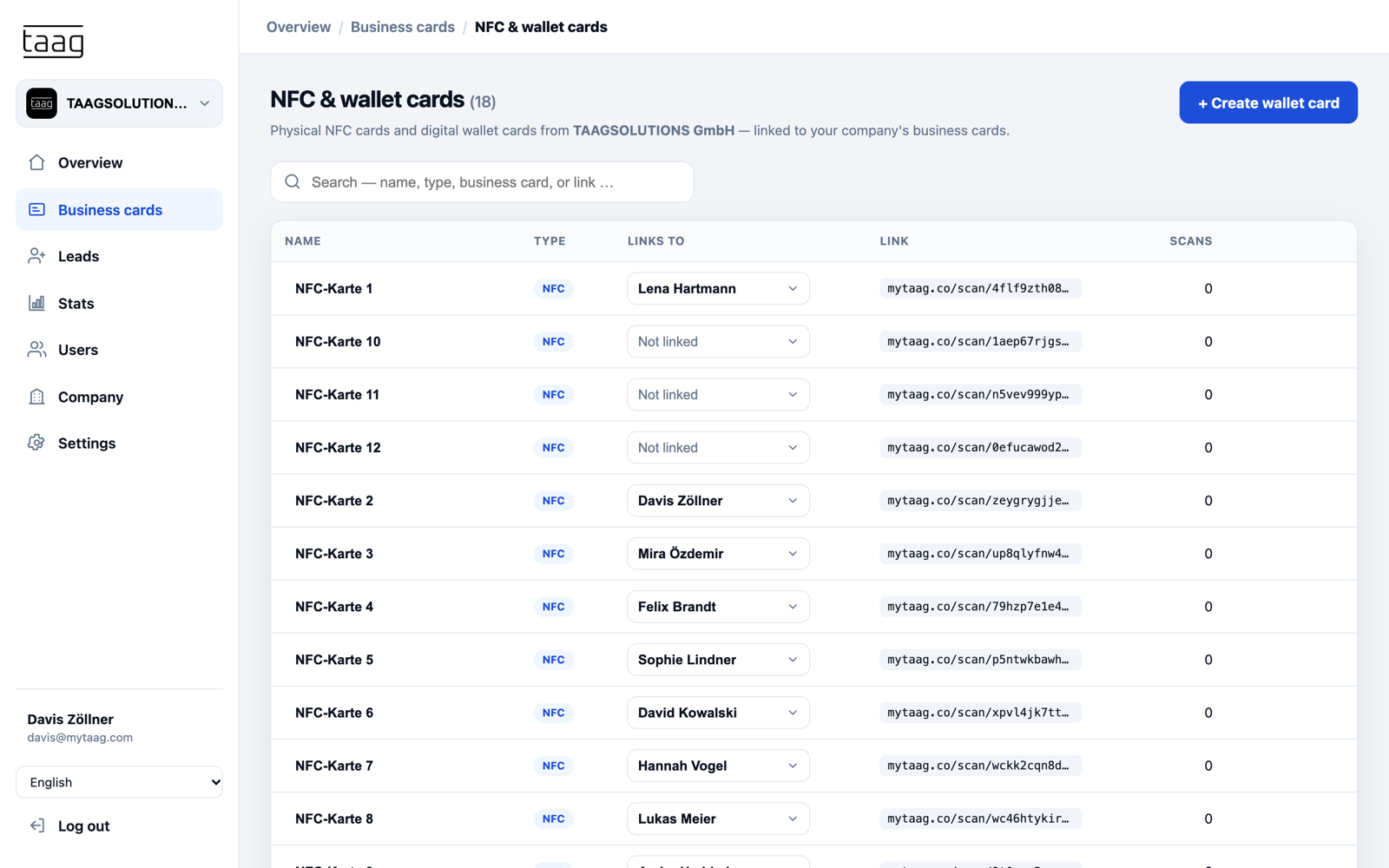
Every NFC card in your company sits in one list – with name, linked business card, link and scan count. That’s the difference between a card for you and a solution for your team.
- LinkEach card points to exactly one business card. You connect new cards in a few clicks.
- ReassignWhen a card changes hands – a trade show card, say, or a successor’s card – you point it to another business card.
- UnlinkWhen someone leaves the company, you remove the link – the card no longer leads to the profile of someone who isn’t there anymore.
- Count scansFor every card you see how often it has been scanned. Together with analytics, you know which cards are actually in use.
Compatibility: iPhone and Android
Android phones with NFC read the card directly as soon as NFC is turned on and the screen is unlocked. iPhones support NFC from the iPhone 7 onwards; newer models read the card without any extra step once it comes close to the top of the iPhone. On older models, the NFC reader in Control Center does the job.
What matters day to day: nothing has to be installed on the other person’s phone. The card opens a regular link in the browser. And if tapping doesn’t work for some reason, the QR code is the quick alternative – or you show your business card from Apple or Google Wallet.
Want to create a simple static code for yourself first? Try our free vCard QR code generator – no sign-up required.
NFC vs. QR code business card
It’s not either-or: both lead to the same digital business card. They simply shine in different situations.
| NFC card | QR code | |
|---|---|---|
| How you share | Hold the card to a phone | Scan the code with the camera |
| What it needs | Smartphone with NFC turned on | Smartphone with a camera |
| Strength | Fast and personal in conversation | Works at a distance, on paper, slides or screens |
| Typical use | Client meeting, networking, trade show booth | Presentation, roll-up banner, flyer, email signature, Wallet |
| App for the recipient | Not needed | Not needed |
| Changing content | Any time in the dashboard, card stays | Any time in the dashboard, code stays |
Most teams use both: the NFC card in conversation and the QR code wherever direct contact isn’t possible.
Cards and designs
See which NFC cards are available and how to order them for your team in the MyTaag shop. Inside MyTaag, you take care of everything that happens behind the card.
Design inheritance
Logo, banner, colors and font apply to the company; groups and cards only deviate where you want them to.
Learn more – Design inheritanceWallet as a companion
Besides the NFC card, the business card also lives in Apple and Google Wallet – with automatic updates.
Learn more – Wallet as a companionScheduled content
New phone number from January 1? Schedule fields in advance and they go live automatically on the day.
Analytics and campaigns
Views, link clicks and saved contacts per card, and as a campaign for a trade show, for example.
Learn more – Analytics and campaigns31 languages
The profile behind the card automatically appears in the device language of the person you meet.
Servers in Germany
Developed and hosted in Germany, with 2FA and per-area permissions.
NFC business cards in practice
At a car dealership, sales hands over the card after the test drive; in real estate, the contact becomes a lead right after the viewing. More examples by industry:
Frequently asked questions about NFC business cards
Technology, compatibility and management – answered briefly.
How do NFC business cards work?
The card contains an NFC chip with a link. When someone holds their phone to the card, that link opens in the browser – with MyTaag, your digital business card. No app is needed.
Does the NFC card work with iPhone and Android?
Yes. Android phones with NFC turned on read the card directly. iPhones support NFC from the iPhone 7 onwards, and newer models read the card without any extra steps. The QR code is always there as an alternative.
Can I change my details later?
Yes. The NFC card points to your digital business card. Change something there, and the next person who taps sees the new version. You never need to replace the card itself.
What happens to the NFC card when someone leaves the company?
You reassign the card to another business card in the dashboard or unlink it. That way no card leads to the profile of someone who has left. More under digital business cards for teams.
Where do I order NFC cards for my team?
In the MyTaag shop. Once they arrive, you link the cards to your team’s business cards in the dashboard.
Do I really need an NFC card?
No. You can also share your digital business card via QR code, link, email, SMS, email signature or from Apple and Google Wallet. The NFC card is simply the fastest way in a face-to-face conversation.
Is an NFC business card secure?
The chip only holds a link, no personal data. What opens is controlled in the dashboard. MyTaag runs on servers in Germany and protects accounts with two-factor authentication.
NFC business cards for your whole team
In the demo we show you how to link and reassign NFC cards and connect them with leads and the CRM.