Manage contacts and leads with the built-in business card CRM
MyTaag is more than a digital business card: a built-in CRM turns the contacts your team collects into deals. Pipelines with stages, drag-and-drop deals, tasks and a history for every contact – no export, no second tool.
- Made in Germany
- Servers in Germany
- Compliant with EU regulations
- As seen on the German version of Shark Tank
From business card to CRM – without switching tools
Most digital business card providers stop at the contact. If you want to turn it into revenue, you export the leads and import them into another system – if you have one. Many small and mid-sized companies don't have a CRM, or only the sales team at headquarters uses it while field reps work from lists.
Everyone knows the result: contacts live in three different tools, nobody knows who last called whom, and following up depends on individual people's memory.
That's why MyTaag comes with its own CRM. Leads from the form on your business card, from the website widget, from imports or manual entry land right where you work on them. If you already use a CRM, you can export at any time.
Pipeline, deals and tasks
Everything a small sales team needs – and nothing that slows it down.
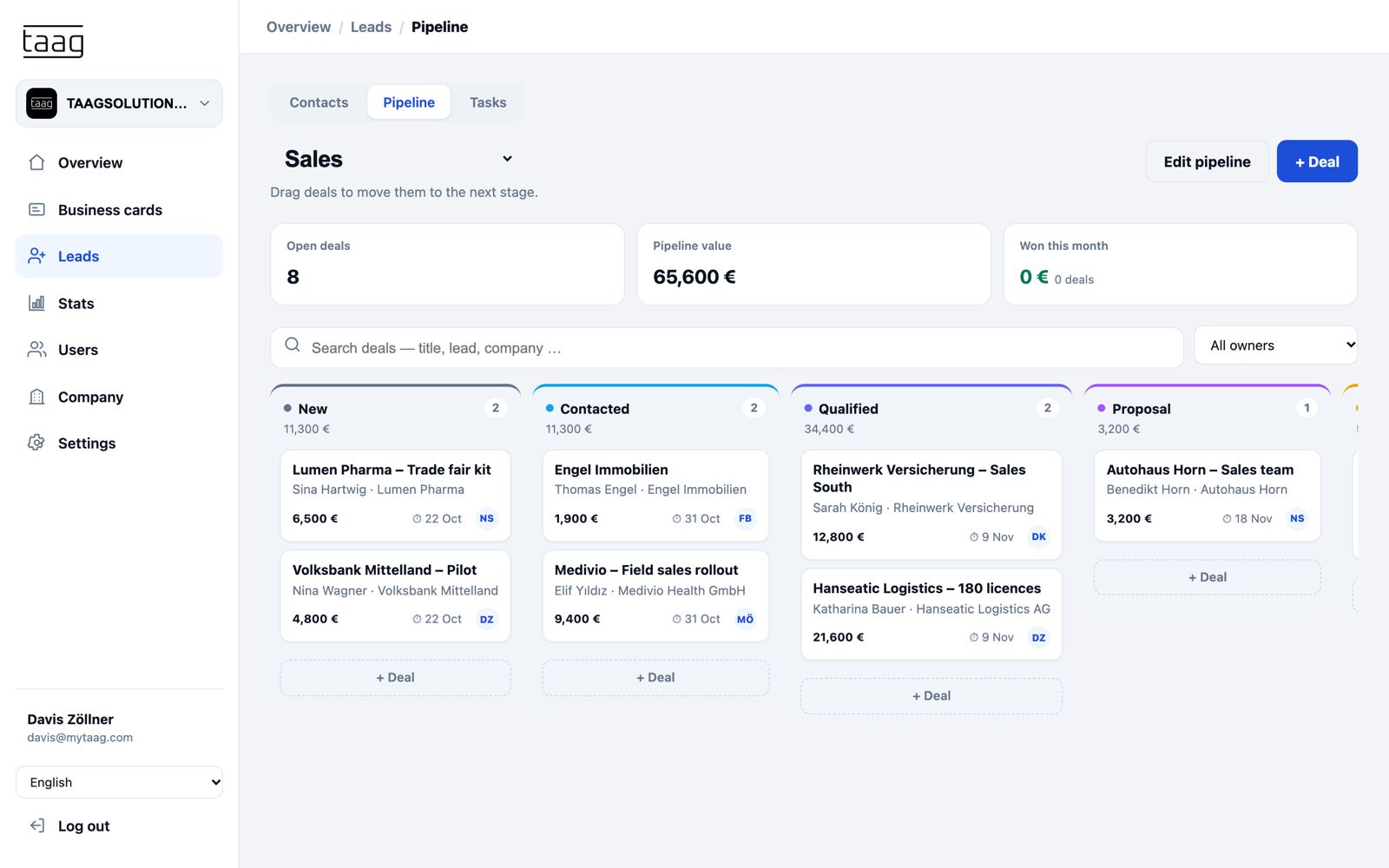
Pipeline
Pipelines with your own stages
Create pipelines that fit your sales process, with your own stages – such as "New", "Contacted", "Qualified" and "Proposal". Drag and drop deals from stage to stage and see at a glance where every contact stands.
- Deal valuesAdd a value to every deal. MyTaag shows open deals, your pipeline value and what you've won this month.
- OwnershipEvery deal has an owner. Filter the pipeline by owner or search by title, lead and company.
Tasks
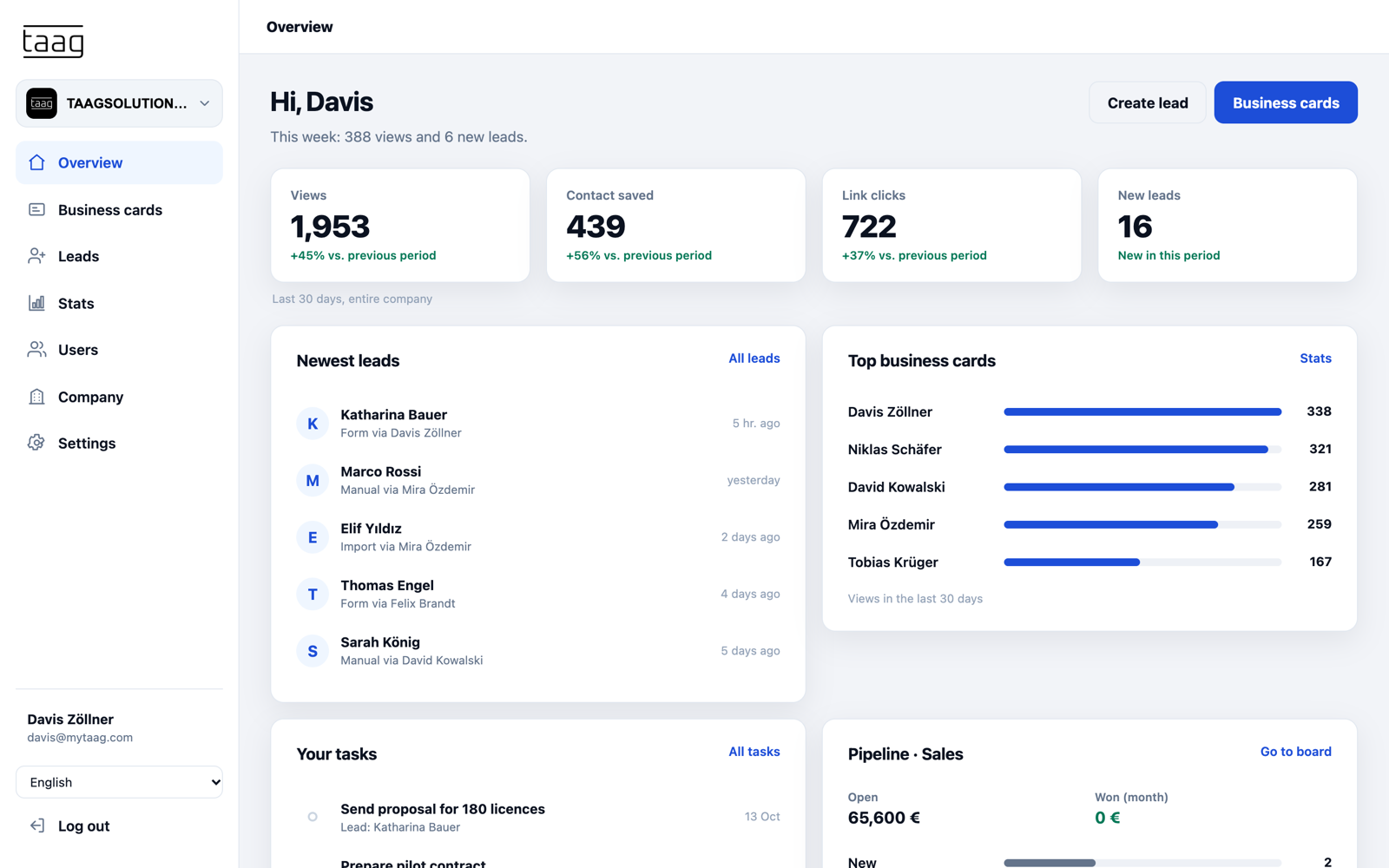
Tasks with due dates and owners
Call back on Tuesday, send the quote by Friday, meet after the trade show: tasks get a due date and an owner. Everyone on the team sees what's due today, and no lead is left lying around just because someone is on vacation.
- Filters for everyday workMy tasks or all tasks, open or done, overdue, today or in the next 7 days.
- Tied to the contactTasks belong to a lead or deal, so the context is never lost.
History and labels
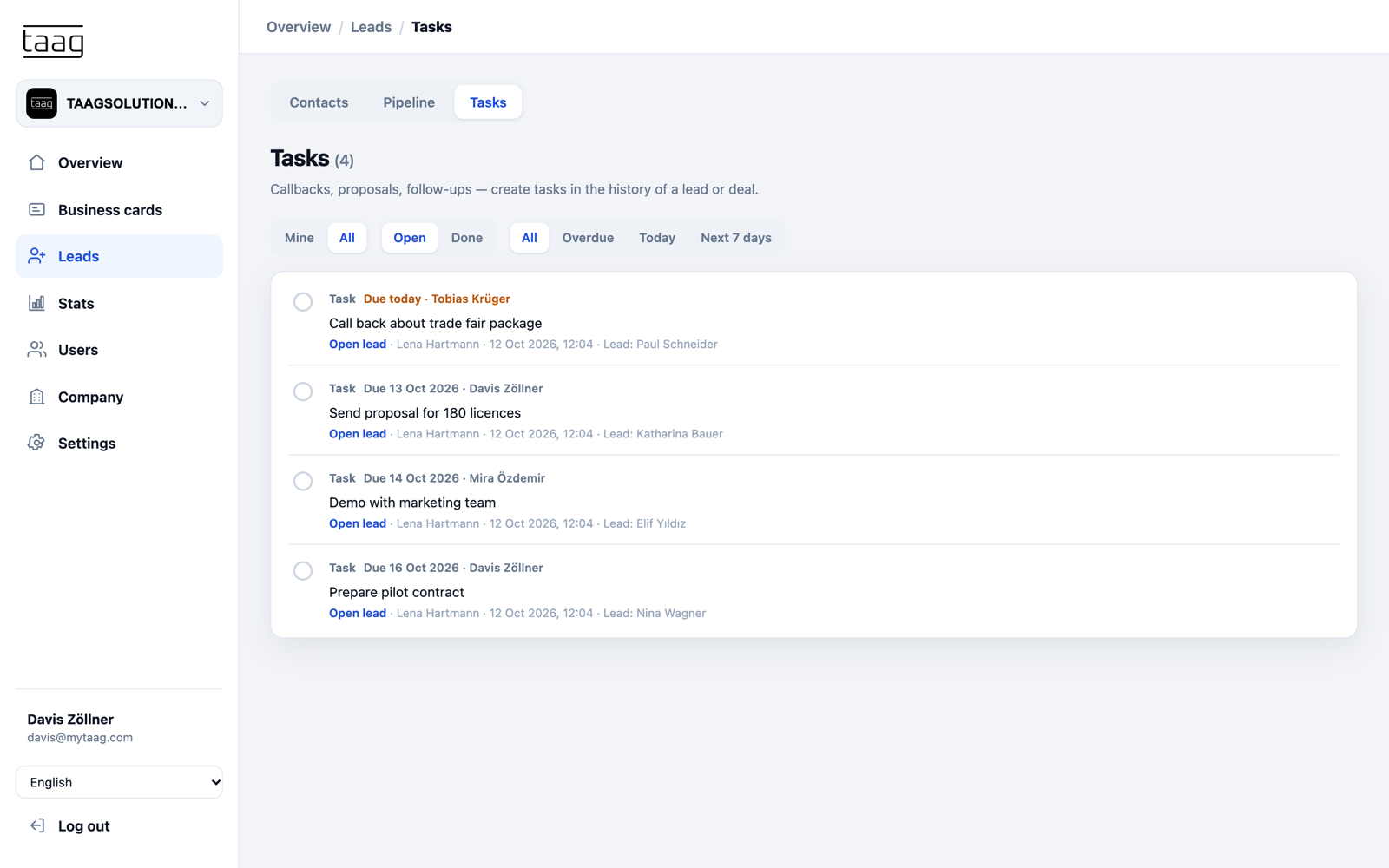
History and labels for every contact
The history records what happened: note, call, email and meeting. Whoever takes over the contact sees the current status immediately. Labels like "Hot" or "Call back" and groups, for example one per trade show, keep things organized.
- Share by emailForward a lead to colleagues with a vCard attached.
- SourceSee whether a lead came from a business card, the website widget, an import or manual entry.
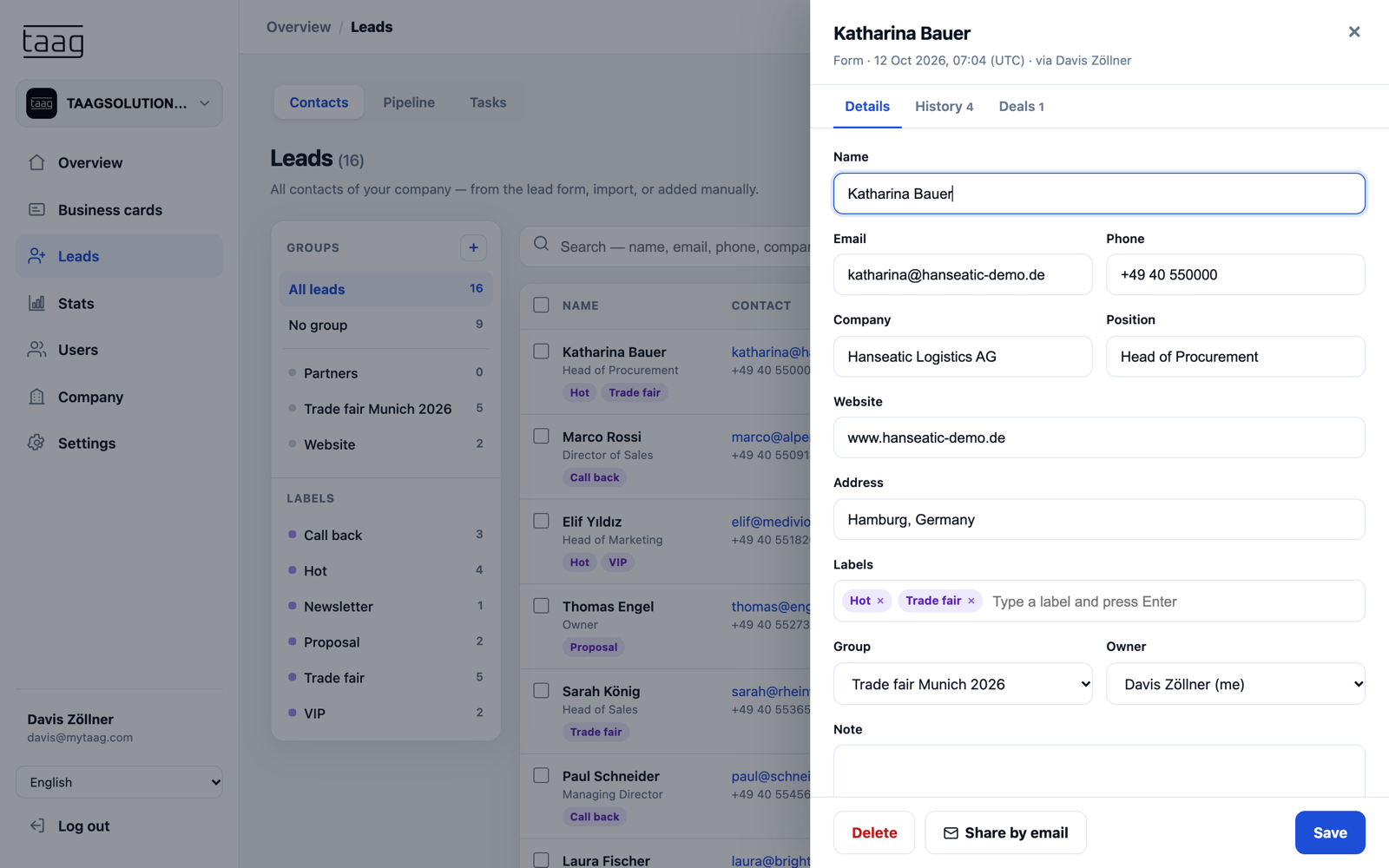
From card to deal
How a contact moves through MyTaag – from the first tap to the closed deal.
Built-in CRM or export?
You can do both. The question is what fits your company.
| Export to an external CRM only | Built-in CRM in MyTaag | |
|---|---|---|
| Path of the lead | Export, import, sync | Straight into the pipeline |
| Additional tool | Required | Not required |
| Link to the business card | Often lost | Lead stays linked to the business card |
| Best for | Companies with an established CRM | Teams without a CRM, or field reps without access |
Already using a CRM? Export leads as CSV or Excel, or use integrations like HubSpot or Zapier. Leads and contacts can also be imported.
Who the built-in CRM is for
Teams without a CRM: Small and mid-sized companies that have been working with Excel, Outlook contacts and sticky notes get a structured sales process with MyTaag – without kicking off a big CRM project. The pipeline is quick to set up, and the leads come in on their own – from the team's business cards.
Field reps and sales teams: People who are on the road a lot don't need access to the corporate CRM to capture contacts properly and follow up. Leads, tasks and history live in MyTaag, and sales management sees what's in the pipeline.
Companies with an existing CRM: MyTaag is worth it here too, as a front end. Leads are captured cleanly, qualified and labeled before they move into your main system via export or integration. Trade show leads, for example, can be reviewed first and then transferred selectively.
How the CRM works with the rest of MyTaag
Especially popular in insurance and real estate, where every contact counts.
Lead capture
The form on your business card and the website widget fill your pipeline automatically.
Learn more – Lead captureTrade shows
Lead groups, campaigns and tasks for your trade show follow-up.
Learn more – Trade showsPermissions for leads
Permissions per area decide who can see and edit leads.
Learn more – Permissions for leadsEmail templates
Write system emails like the opt-in confirmation in your own voice.
Export and import
CSV and Excel in both directions, plus integrations like HubSpot and Zapier.
Servers in Germany
Customer data stays in Germany, protected with 2FA.
Business card CRM FAQ
Pipeline, tasks, export and permissions – quick answers.
Does MyTaag have its own CRM?
Yes. MyTaag includes a CRM with pipelines and your own stages, drag-and-drop deals with deal values, tasks with due dates and owners, and a history with notes, calls, emails and meetings.
Do I still need another CRM?
For many small and mid-sized teams, no. If you already use a CRM, export leads as CSV or Excel or use integrations like HubSpot or Zapier.
How do leads get into the CRM?
Automatically: leads from the form on your business card, the website widget, imports and manual entry are stored directly in MyTaag and can be moved into a pipeline as deals.
Can I create multiple pipelines?
Yes. You create pipelines with your own stages, for example separate ones for new and existing customers.
Who on the team can see the leads?
You control that with permissions per area. Only people with the leads permission can see and edit them. Every lead and every deal also has an owner.
Can I import contacts and leads?
Yes. Upload existing contacts as a file so everything lives in one place. New leads come in automatically from the form on your business card and the website widget.
Where is the data stored?
On servers in Germany. Accounts are protected with two-factor authentication. More under privacy & security and on our page about trade show lead capture.
From contact to deal – in one tool
In the demo, we show you pipeline, tasks and history with leads from your business cards.